
Google SGE SEO: A Complete Beginner’s Guide for 2025

Google SGE SEO: A Complete Beginner’s Guide for 2025

Google SGE SEO

A New Era in Search: What’s Changing?

Google SGE SEO Search engines have evolved beyond simply providing answers — now they respond with human-like understanding. With the launch of Google’s SGE (Search Generative Experience), SEO has stepped into a whole new era in 2025. The classic blue links are slowly disappearing, making way for intelligent, AI-generated results.

Why Bloggers Need to Pay Attention Now

If you’re into blogging for beginners, SEO is no longer just about keyword stuffing or backlink building. It’s about creating content that both people and Google’s AI can understand and trust. Ignore this shift, and your blog may disappear from top search results.

Google SGE SEO: A Complete Beginner’s Guide for 2025

Understanding Google SGE

What is Google SGE (Search Generative Experience)?

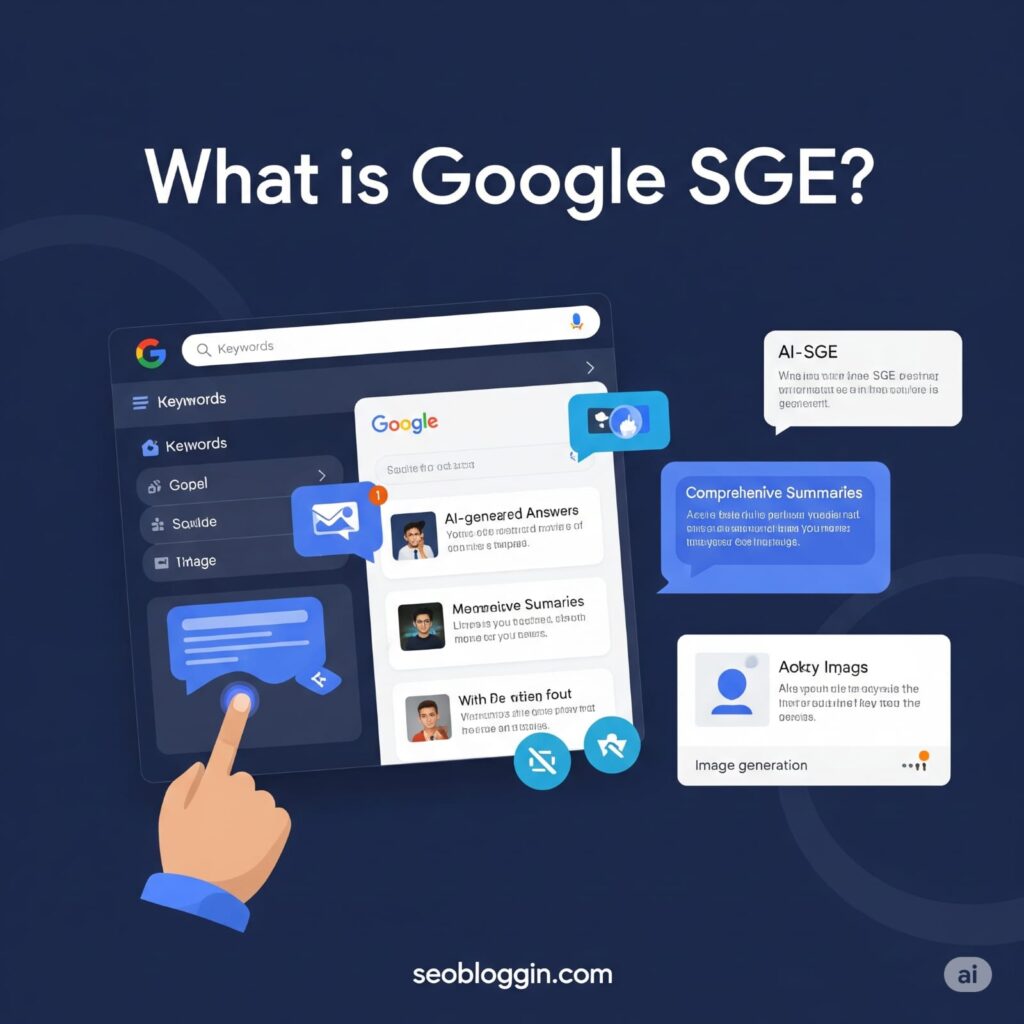
Google SGE is an AI-powered feature that transforms the search engine into a smart assistant. Instead of just showing 10 links, it summarizes information directly in the search results, often answering the user’s query without them clicking any link.

Let’s break it down.

AI-Powered Snapshots

SGE shows summaries of answers at the top of the search page, pulling from various sources. These “snapshots” can sometimes replace the need to visit a blog post altogether.

Conversational Follow-Up

After reading the snapshot, users can ask follow-up questions directly — and Google will generate responses instantly using AI, continuing the conversation.

Source Integration and Summarization

SGE credits original sources, but only partially. If your blog is mentioned, it’s great. But if your content is summarized without being clicked, you miss out on traffic — unless optimized properly.

Still confused about how to install Rank Math in WordPress? Don’t worry—it’s easier than it looks. Installing Rank Math only takes a minute, and once activated, you’ll get access to one of the most powerful SEO plugins for WordPress. My detailed Rank Math setup guide explains the process from installation to advanced settings, helping you optimize your entire site for search engines. If you want a smooth setup, error-free configuration, and higher search visibility, you should definitely follow the complete guide I’ve created.


How SGE is Changing SEO Rules

The Death of Old Ranking Tactics?

Forget the old “rank #1 and win traffic” mantra. In the SGE world, even top-ranking blogs may be skipped if Google’s AI summarizes your content in the snapshot. That’s why optimization now needs a new approach.

What Does “Position #1” Even Mean Now?

Ranking first on Google no longer guarantees the top spot in visibility. What truly counts now is getting featured in the AI-generated snapshot that appears above the search results. To earn that place, your content must be clear, trustworthy, and genuinely valuable in the eyes of Google’s AI.

Google’s AI is the New Middleman

Think of Google’s AI as a filter. If your blog doesn’t pass through it — meaning, if it’s not clear, original, and trustworthy — it won’t get featured in the snapshot, no matter your old-school SEO skills.

Google SGE SEO: A Complete Beginner’s Guide for 2025

Impact of SGE on Blogging in 2025

Blogging for Beginners – Why SGE Could Be a Blessing

If you’re just starting out, this is your golden opportunity. Most big websites are still catching up with SGE. If your blog is:

  • Clear
  • Authentic
  • Focused on solving specific problems

… you can actually outrank the giants by being featured in the snapshots.

SEO Tips for Beginners Under the New System

Here’s what works:

  • Use conversational writing — match how people talk and search.
  • Answer one specific question per section.
  • Present your content using visuals and bullet lists to boost clarity and make information more digestible.

How to Write SEO Friendly Blog Posts for SGE Results

Want to land in SGE snapshots? Structure your post like this:

  • Start with a summary answer (like a mini-definition or direct response).
  • Add supporting details in bullet points.
  • Include an FAQ section.
  • Use long-tail keywords like “how to increase blog traffic using SGE” or “SEO tips for beginners 2025”.

Google SGE SEO: A Complete Beginner’s Guide for 2025

Blog SEO Checklist 2025 (SGE-Ready)

Keyword Placement in a World of AI

Keywords still matter — but not like before. Focus on intent-based keywords. Think:

Use them naturally in:

  • Titles
  • H2/H3 subheadings
  • Meta descriptions
  • First 100 words

Writing for AI + Humans (Dual Audience)

You’re not just writing for people anymore. Now your audience is:

  • To get noticed, your content must pass Google’s AI checks for organization, readability, and trustworthiness.
  • Actual readers (who want simplicity and value)

Make both happy by writing clean, structured, easy-to-digest content.

E-E-A-T Signals Are Now Critical

E-E-A-T = Experience, Expertise, Authoritativeness, and Trust. Show Google you’re the real deal:

  • Add author bios with credentials
  • Link to credible sources
  • Share first-hand experiences
  • Use original images

Focus on First-Hand Experience and Originality

“Google’s SGE favors fresh, original perspectives. If your blog just repeats what’s already out there, it’s likely to be overlooked. Share personal experiences, real-life examples, or unique case studies to make your content stand out.


Google SGE SEO: A Complete Beginner’s Guide for 2025

How to Increase Blog Traffic in the SGE Era

Don’t Chase Traffic, Attract Attention

Rather than chasing clicks, focus on earning visibility in the AI-powered summary section. To do that, use:

  • Strong, clear headers
  • Action-based intros
  • Rich snippets and FAQs

Use Visuals and Infographics – AI Loves It Too

Google’s AI pulls from:

  • Charts
  • Tables
  • Infographics

Including them improves the likelihood that your content gets highlighted or quoted by Google’s AI.

Mastering Follow-Up Questions in Your Blog Content

Add sections like:

  • “What’s next after [topic]?”
  • “Is [topic] still worth it in 2025?”

By answering follow-up-style questions, your content may get picked for deeper conversations in SGE.


Tools and Plugins to Stay Ahead in 2025

Use AI Detection Tools

Check if your blog sounds too robotic. Use tools like:

  • Originality.ai
  • Writer.com AI checker

These ensure your content is human-like and trustworthy.

SEO Plugins that Understand SGE Structure

Use updated plugins:

  • Rank Math SEO (with SGE optimizations)
  • Yoast SEO (latest AI-focused update)
  • Surfer SEO (for real-time readability + structure)

Real-Time Content Analyzers

Use tools like:

  • Frase.io
  • MarketMuse
  • Clearscope

They analyze what SGE includes in its summaries — and help you align with it.


Conclusion

Don’t Fear SGE – Adapt and Win

Google’s SGE is here to stay — and yes, it’s shaking up everything. But here’s the truth: if you adapt, simplify, and write for both AI and humans, your blog can thrive. Whether you’re new to blogging for beginners or a seasoned writer, the future belongs to those who evolve.

Make your blog SGE-ready. Use the Blog SEO Checklist 2025, follow modern SEO tips for beginners, and focus on how to write SEO friendly blog posts that answer real user questions clearly.


← Previous Post Next Post →

Blogging for Beginners in 2025: A Complete Roadmap

blogging for beginners

What is Blogging for Beginners in 2025?

Let’s face it—blogging isn’t dead. In fact, it’s evolving faster than ever. In 2025, blogging is not just about writing journal-style posts anymore. It’s about building an online presence, solving problems, teaching something valuable, or even growing a full-time business from your laptop. With AI tools, voice search, and visual content dominating, blogging has taken a new form—but at its core, it’s still about connecting with people through valuable content. If you’re serious about blogging for beginners, social media is your best friend. Platforms like Instagram, Twitter, Pinterest, and LinkedIn are goldmines for traffic. Share:

  • Blog teasers
  • Infographics
  • Quotes from your post
  • Reels or short videos

Pro Tip: Repurpose your blog post into smaller content pieces to multiply reach.

Why Blogging is Still Relevant?

You might wonder: “Is blogging even worth it anymore?” Absolutely! Blogging continues to be one of the most cost-effective ways to generate organic traffic, build authority in your niche, and create passive income streams. With smart SEO and consistent efforts, even beginners can build a successful blog in 2025. It’s all about strategy, not magic.

Who Can Start a Blog?

Here’s the good news: anyone can start blogging. Whether you’re a student, a homemaker, a digital nomad, or a business owner, blogging doesn’t require a degree or a huge investment. If you can express your thoughts and help others through your content, you’re already on the right path. All it takes is the right roadmap, and that’s exactly what this guide is.


Setting Up Your Blog

Choose a Niche You’re Passionate About

This step can make or break your blogging journey. Choose a topic you love AND that people search for. Your passion keeps you motivated, and audience demand brings in the readers. Great niches for 2025 include:

  • Personal finance
  • Mental health
  • AI tools and tech
  • Travel vlogging
  • Food and health
  • Blogging for beginners (see what we did there?)

Choosing a Domain Name That Represents Your Brand Identity

Think of your domain name as your blog’s digital home address—it should be:

  • Memorable
  • Easy to spell
  • Short and brandable

Pro tip: Use .com if possible and avoid hyphens or numbers.

Best Blogging Platforms for Beginners

For 2025, here are the top beginner-friendly blogging platforms:

  • WordPress.org (Most flexible and powerful)
  • Wix (Drag-and-drop simplicity)
  • Blogger (Good for basic blogs)
  • Medium (Great for writers, but limited control)

If you’re serious about blogging, WordPress.org + a good host is the best combo.

Hosting Options – Free vs Paid

Free hosting sounds tempting, but it has limitations. If you want full control and SEO success, go with paid hosting like:

  • Hostinger
  • Bluehost
  • SiteGround

It’s affordable, reliable, and helps your blog grow without tech headaches.


Designing Your Blog

Importance of a Clean and Mobile-Friendly Design

First impressions matter. A clean layout that looks great on mobile devices builds trust and keeps readers engaged. Choose a theme that’s:

  • Responsive
  • Fast-loading
  • Customizable
  • SEO-ready

Themes and Plugins That Make Life Easier

Here are beginner-friendly tools:

  • Themes: Astra, GeneratePress, Kadence
  • Plugins:
    • Rank Math SEO – For easy SEO setup
    • WPForms – To create contact forms
    • Smush – For compressing images
    • Elementor – Drag-and-drop design

Basic Pages Every Blog Needs

Don’t skip these must-have pages:

  • About Me
  • Contact Page
  • Privacy Policy
  • Disclaimer (especially for affiliate marketing)

These pages build credibility and keep you legally safe.


blogging for beginners

Content is King – Start Writing

What to Write as a Beginner Blogger

You don’t need to reinvent the wheel. Start with:

  • How-to guides
  • Listicles (e.g., “10 Tips for Beginners”)
  • Reviews (products or tools)
  • Personal stories
  • Tutorials

Find out what your audience is searching for and write helpful, easy-to-understand posts.

How to Write SEO-Friendly Blog Post

Keyword Research Basics

Use tools like:

Focus on long-tail keywords such as ‘SEO tips for beginners‘ or ‘how to write SEO-friendly blog post‘—they have lower competition and are easier to rank on Google.

Blog Post Structure (Title, Headings, Meta, etc.)

Structure = readability = SEO boost
Use:

  • H1 for title
  • H2 for major sections
  • H3/H4 for subpoints
    Also, write a compelling meta description and include your main keyword naturally in:
  • First 100 words
  • Headings
  • Image alt text
  • Conclusion

Avoiding Keyword Stuffing

Don’t force keywords. Write naturally. Search engines are smart—if your post helps users, it ranks. Period.


Optimize Your Blog for Search Engines

On-Page SEO Basics

Optimize what’s on your site:

  • Use keywords smartly
  • Internal linking
  • Image optimization
  • Meta titles and descriptions
  • Fast loading speed

Off-Page SEO Techniques

This is about building authority:

  • Guest posting
  • Social sharing
  • Getting backlinks from other blogs

Importance of Technical SEO

Keep your site healthy:

  • Mobile responsiveness
  • SSL (https)
  • XML sitemap
  • No broken links
  • Structured data (schema)

Use Google Search Console to monitor everything.


Blog SEO Checklist 2025

Updated SEO Practices in 2025

SEO in 2025 is user-first:

  • Write for people, optimize for Google
  • Voice search is rising—use natural language
  • Visual content matters—infographics, videos
  • E-E-A-T (Experience, Expertise, Authority, Trustworthiness) is crucial

Must-Have Tools for Blog Optimization

  • Rank Math SEO
  • Google Search Console
  • Ahrefs Webmaster Tools (Free version available)
  • PageSpeed Insights
  • Grammarly for proofreading

Common SEO Mistakes to Avoid

  • Ignoring mobile optimization
  • Thin or duplicate content
  • Not updating old posts
  • Overusing keywords
  • Ignoring internal linking

blogging for beginners

Blog SEO Checklist 2025

If you’re serious about blogging for beginners, mastering SEO is non-negotiable. This blog SEO checklist 2025 will help your blog get noticed by Google and other search engines.

✅ On-Page SEO Checklist:

  • Include your main keyword in the title, meta description, first 100 words, and headings
  • Use short, clean URLs (e.g., yourdomain.com/seo-tips-beginners)
  • Use alt text for all images
  • Connect your posts with internal links to boost page views and user experience.
  • Write powerful meta titles and descriptions that motivate users to click.

✅ Technical SEO Checklist:

  • Use HTTPS (SSL certificate)
  • Mobile responsiveness is a must
  • Page speed should be optimized (use PageSpeed Insights)
  • Submit your sitemap to Google Search Console
  • Fix crawl errors regularly

SEO Tools for New Bloggers

Don’t worry—you don’t need to be an expert. With the right tools, even a beginner can do powerful SEO.

Here are the best SEO tools for new bloggers in 2025:

Free Tools:

  • Rank Math SEO (This lightweight WordPress plugin helps you handle SEO settings with ease and confidence.)
  • Google Search Console (track and fix indexing issues)
  • Ubersuggest (keyword research, backlink data)
  • Google Keyword Planner (keyword ideas & volume)
  • AnswerThePublic (understand what people are searching)

Premium (but worth it):

  • Ahrefs – Backlink tracking, competitor analysis
  • SEMrush – All-in-one SEO suite
  • Surfer SEO – Optimize your blog posts with Surfer SEO’s actionable, data-powered suggestions.

Using even 2–3 of these can transform how fast you grow.


How to Increase Blog Traffic (Fast and Smart)

Every beginner asks this:
“How do I pull in the right audience and keep them coming back to my blog?”

Here’s how to increase blog traffic even if you’re starting from zero:

blogging for beginners

✅ Use Pinterest and Quora

These are goldmines for free traffic.

  • Create pin-friendly blog images
  • Answer relevant questions on Quora and add your blog link to drive interested readers to your site.

✅ Share on Social Media

Post snippets, quotes, or infographics from your blog on:

  • Instagram
  • LinkedIn
  • Twitter
  • Facebook Groups (niche-specific)

✅ Collaborate with Other Bloggers

Guest posting and getting featured by others can expand your blog’s visibility.

✅ Optimize Every Post for SEO

Use your keyword naturally, structure posts well, and update regularly. SEO drives consistent, passive traffic to your blog over time.


How to Rank a Blog on Google

To rank a blog post on Google, especially as a beginner, you need to be strategic, not spammy.

✅ Here’s the Ranking Formula:

1. Choose the Right Keyword

Target keywords with low competition and high intent, like:

2. Write High-Quality Content

Google loves content that:

  • Solves problems
  • It is easy to read
  • Keeps users engaged

Use short sentences, bold important points, and include helpful images or videos.

3. Use Schema Markup

With Rank Math or Yoast, you can add schema like:

  • Article
  • FAQ
  • How-To
    This improves visibility in search results.

Get links from other blogs in your niche. It tells Google you’re trustworthy.

5. Update Old Posts

Keep posts fresh by adding new stats, better headlines, or new keywords.

Consistency, good SEO, and patience = Google rankings.


10. Conclusion

Blogging in 2025 isn’t just a trend—it’s a powerful platform to build your personal brand, help others, and earn online. If you’re serious about blogging for beginners, this guide gave you the full roadmap—from setting up your blog to mastering how to write SEO SEO-friendly blog post, using the blog SEO checklist 2025, applying SEO tips for beginners, and learning the best SEO tools for new bloggers to increase blog traffic and ultimately rank your blog on Google.

← Previous Post Next Post →

Blogging for Beginners: A Basic Guide to Starting a Blog in 2025

blogging for beginners

Blogging for beginners in 2025 has become easier, faster, and more exciting than ever before. With powerful AI tools like ChatGPT and Google Gemini, even a complete beginner can research topics, write high-quality posts, and optimize their blog without feeling overwhelmed. If you want to learn how to start a blog in 2025, grow your audience, and write posts people genuinely enjoy reading, this simple and friendly guide will help you begin your journey the right way. Whether you love writing, want to share your knowledge, or dream of earning money online, blogging is still one of the best ways to build your voice and presence on the internet.

This complete blogging guide for newbies will walk you step-by-step through everything you need: choosing a niche, setting up a site, writing content, using SEO, and growing your blog. The tips shared here are simple, practical, and perfect for blog writing for beginners who want to avoid mistakes and start strong.


1. Choose Your Blog Niche Wisely

Your niche decides what your blog will talk about. If you’re new, your first step as a beginner is choosing a topic you enjoy and understand.

✔ Choose a niche you love

Writing becomes easier when you enjoy the topic.

✔ Choose a niche people search for

Use Google Trends, ChatGPT, or Ubersuggest to check demand.

✔ Avoid niches that are too broad

Instead of “Fitness”, choose “Fitness for Women at Home”.

A strong niche makes it easier to follow the right beginner blogging tips and build loyal readers.


2. Pick a Blogging Platform

For most beginners, WordPress is the best choice.

  • WordPress (best overall)
  • Blogger (for very basic blogs)
  • Medium (good for writing-only content)

To follow the steps to create a blog professionally, WordPress is recommended because it offers themes, plugins, SEO tools, and full customization.


3. Choose a Domain & Hosting

Your domain is your blog’s name (example: yourblog.com).

Your hosting is where your blog lives.

Best tips for beginners:

  • Choose short and memorable names
  • Avoid numbers or hyphens
  • Use .com when possible
  • Buy hosting from trusted companies: Hostinger, Bluehost, SiteGround

This is an important early step in how to start a blog in 2025.


blogging for beginners

4. Install WordPress & Pick the Right Theme

Once hosting is set, install WordPress with one click.

Choose a fast, clean, SEO-friendly theme like:

  • Astra
  • GeneratePress
  • Kadence

Fast themes are essential for blog writing for beginners, because Google prefers sites that load quickly.


One of the biggest advantages of AI in blogging for beginners is that you no longer have to struggle with idea generation or topic planning. Earlier, new bloggers often spent hours thinking about what to write next, but now AI can instantly suggest trending topics, top-ranking article structures, and even keyword opportunities. With the help of smart tools like ChatGPT and Gemini, beginners can simply enter a short prompt and get a complete list of optimized ideas ready for writing. AI doesn’t just give topics — it helps you understand search intent, ranking difficulty, and what users expect to read. This makes content planning simpler, faster, and far more accurate than relying on guesswork.

5. Install Important Plugins

Plugins help your blog work better.

Must-have plugins:

  • Rank Math (SEO)
  • WP Rocket / LiteSpeed Cache (speed)
  • Site Kit by Google
  • UpdraftPlus (backup)

Using these tools in your blogging guide for newbies helps you set up a strong foundation from day one.


6. Learn the Basics of Keyword Research

If you want people to find your blog, you must understand keywords.

Tools that help:

This step is essential in blogging for beginners because choosing the right keywords helps your posts rank faster.


Blogging for beginners

7. Write Your First Blog Posts

Now you’re ready for content!

Follow this simple writing formula:

  • Catchy title
  • Helpful introduction
  • Clear headings
  • Bullet points
  • Examples
  • FAQs
  • Conclusion

This structure is perfect for blog writing for beginners and helps users read easily while improving SEO.


8. Use AI Tools (ChatGPT & Gemini) Smartly

AI tools don’t replace bloggers — they assist them.

Use AI for:

  • Topic ideas
  • Blog outlines
  • Rewriting paragraphs
  • SEO optimization
  • Meta descriptions

Following these beginner blogging tips, you’ll create high-quality content much faster.


9. Basic SEO for Beginners (Must Follow)

SEO helps your blog rank on Google.

Use this mini-checklist:

  • Add your focus keyword in the title
  • Use LSI keywords
  • Optimize images
  • Use internal links
  • Write helpful & original content

This simple SEO checklist is part of the best steps to create a blog that ranks well.


blogging for beginners

10. Promote Your Blog the Right Way

Once your posts are published, start promoting.

Effective promotion methods:

  • Share on social media
  • Add to Pinterest
  • Use Quora
  • Use LinkedIn
  • Make Web Stories
  • Use WhatsApp groups

Promotion helps new blogs grow faster.

Another reason why AI in blogging for beginners is becoming so popular is its ability to make complicated SEO tasks extremely easy. Instead of manually researching keywords, building outlines, checking competitor content, and optimizing meta tags, beginners can simply use AI tools to automate most of the process. ChatGPT can generate clear meta descriptions, Gemini can analyze search trends, and other AI tools can help with heading structure, readability, and keyword placement. This means even someone with zero SEO experience can follow an optimized writing workflow and produce content that Google understands and ranks.


Conclusion

For beginners who often feel overwhelmed by the technical side of blogging, AI acts like a personal assistant who guides them step-by-step. Whether it’s writing a blog post, fixing grammar, generating headlines, or improving SEO, AI provides simple guidance that makes the entire process stress-free. This is why AI in blogging for beginners is not just a trend — it’s becoming the new standard for content creation in 2025. When used correctly, AI can help you write consistently, stay motivated, and grow your blog faster than traditional methods.

Starting a blog in 2025 is easier than ever if you use the right tools, strategies, and beginner-friendly methods. By following this simple and practical guide to blogging for beginners, choosing a focused niche, applying SEO, writing helpful content, and using AI tools smartly, you can build a strong, successful blog from scratch. Stick to the basics, stay consistent, and your blog will grow faster than you think.

FAQs

Q1. Is blogging for beginners still profitable in 2025?

ANS- Yes, it is still profitable in 2025 because people search for helpful, simple guides and personal experiences every day. If you follow how to start a blog in 2025 properly and choose a good niche, even new bloggers can grow fast by creating helpful content. With AI tools and beginner blogging tips, anyone can build a successful blog from scratch.

Q2. How many posts should a new blogger publish?

ANS- Ideally, a beginner should publish 10–15 posts in the first month. This helps Google understand your niche quickly. If you follow the right blog writing for blogger approach and combine it with AI tools for outlines and editing, you can publish high-quality content consistently. Most steps to create a blog become easier once you have a content routine.

Q3. Do I need SEO knowledge to start a blog?

ANS- No, you can start even without SEO experience. But learning basic SEO is important. Tools like Rank Math, Gemini, and ChatGPT help beginners follow the blog for beginner’s SEO guide easily. With an SEO checklist for bloggers, even newbies can rank on Google while applying simple beginner blogging tips.

Q4. How long does it take for a new blog to get traffic?

ANS- Most new blogs take 2–3 months to start seeing traffic. If you choose low-competition keywords, follow how to start a blog in 2025, and publish helpful posts regularly, your growth becomes faster. AI tools help beginners research better and write high-quality content, making your blogging guide for newbies even more effective.

Q5. What mistakes should beginners avoid?

ANS- Beginners should avoid choosing too many topics, ignoring SEO, copying other blogs, and inconsistent posting. You should follow the steps to create a blog, choose a clean theme, and write content your audience needs. With the right blog for beginner’s foundation, these mistakes become easy to avoid.


Blogging for Beginners: How to Rank on Google’s First Page in 2025

blogging for beginners

Introducation

Want to see your blog on Google’s first page in 2025? Follow this Blog SEO Checklist 2025 to make it happen! You’re not alone—and you’re smart to chase that spot. Whether you’re just starting or have been at it for a while, the rules have changed. The competition is tougher, but the opportunities? Even greater.

The good news? If you’re diving into blogging for beginners, this is the perfect time. New tools, better data, and smarter strategies can give even small bloggers a real shot at dominating search results.

Let’s simplify everything and help your blog rank higher, quickly and easily.

blogging for beginners


Foundation First – Pick the Right Niche

Blogging for Beginners: Start with Passion

Before we dive into fancy SEO tools, let’s get one thing clear: your niche matters. If you’re blogging for beginners, choose something you truly care about. When you’re passionate, you stay consistent—and that’s exactly what Google loves.

How Niching Down Helps Rank Faster

Google wants to see topical authority. That means if your blog is all over the place, your chances of ranking go down. Focus on one main topic, and your authority grows faster in Google’s eyes.

blogging for beginners

The battle of Gemini 2.0 vs ChatGPT 5 is heating up, and understanding their strengths can help you choose the smarter AI for SEO, blogging, and keyword research in 2025. 🤖⚡


Keyword Research is Still King

Tools You Need in 2025

You can’t rank without targeting the right words. Tools like Ahrefs, Semrush, and Google’s own tools (like Search Console and Keyword Planner) are must-haves in 2025.

Long-Tail Keywords for Better Results

If you’re new to blogging, focus on long-tail keywords to attract more targeted traffic. They’re easier to rank, more specific, and attract the right visitors to your blog.


Create Quality Content That Deserves to Rank

Understanding Search Intent

Google doesn’t just want keywords—it wants answers. Always think: what does the searcher truly want to find?

Blogging for Beginners: Write Like You Speak

Don’t write like a robot. Your content should feel human. Blogging for beginners should be conversational, helpful, and easy to digest.

Avoiding AI Content Traps

Yes, AI can help—but overuse or bad use can get your blog penalized. Blend tools with your voice, not instead of it.


On-Page SEO Optimization

Optimizing Titles and Meta Descriptions

Your title and meta description show up in search results—make them count. Use your keyword naturally and make it click-worthy.

Using Headers and Subheadings Effectively

Structure your content with H1, H2, and H3 headings to make it more readable for users—and easier for Google to interpret.

Image SEO and Alt Text

Always give your images clear file names and add alt text. It helps with SEO and makes your blog more accessible to everyone.


Technical SEO Basics

Mobile Optimization

With over 60% of searches happening on mobile, a non-mobile-friendly blog means losing a major share of potential traffic.

Site Speed Matters More Than Ever

A slow blog = bad UX = lower rankings. Use tools like GTmetrix and PageSpeed Insights to optimize.

Blogging for Beginners: Simple Site Structure Tips

Keep menus clean. Use categories and tags wisely. And avoid clutter—your readers (and Google) will thank you.


E-E-A-T and Your Blog

What is E-E-A-T in 2025?

It stands for Experience, Expertise, Authoritativeness, and Trustworthiness. Google uses these to measure content quality.

Build Trust and Show Expertise

Use author bios, cite credible sources, and avoid clickbait. Add real value to win Google’s trust.

blogging for beginners

With the latest AI Writing Detection Update, bloggers need smarter strategies—small tweaks in writing style can make your content look more natural and rank more safely. 🔍✍️

Internal Linking Strategy

Keeping Users (and Google) Flowing

Linking between related blog posts helps readers stay longer—and signals to Google what your blog is all about.

Make it a habit. After writing a post, link 2–3 relevant articles from your blog within the content.


Quality vs Quantity

Most people now search on their phones—over 60%! If your blog doesn’t work well on mobile, you’re falling behind.

Guest posting, answering questions on Quora, being active on forums, and content partnerships still work in 2025.


Content Freshness and Updates

How Often Should You Update Posts?

At least once a year. Some topics need more frequent updates. Set reminders and keep your top posts fresh.

Blogging for Beginners: Easy Ways to Refresh Content

Update outdated stats, add new info, improve visuals, or expand sections. Even small tweaks can give big ranking boosts.


Use Structured Data and Schema

What is Schema Markup?

It’s code that helps Google understand your content better—and show it in rich results (like stars, FAQs, etc.).

Plugins That Make Schema Easy

Use tools like Rank Math, Schema Pro, or Yoast SEO to automate structured data without coding.


User Experience Signals

Bounce rate and dwell time matter. If people leave your blog right away, Google thinks your content isn’t useful.

Blogging for Beginners: Make it Reader-Friendly

Use bullet points, images, short paragraphs, and strong calls to action. Keep it skimmable and clean.


Promote Your Blog Smartly

Social Sharing Tips

Share every post across multiple platforms. Create short reels, carousels, and infographics to attract clicks.

Building an Email List

Email is gold. Offer a lead magnet (like a free checklist or eBook) to grow your list and drive traffic repeatedly.


Track, Analyze & Improve

Google Search Console and Analytics in 2025

Track impressions, clicks, bounce rate, and top-performing content. It reveals what’s effective—and what needs improvement.

Blogging for Beginners: Metrics That Matter

Prioritize CTR, bounce rate, session duration, and conversion goals—not just traffic numbers.


Staying Updated With Google

Core Updates & You

Google frequently updates its algorithms—stay informed by following official SEO blogs and communities.

Voice search, AI optimization, and video content are exploding. Stay ahead by adapting early.


Conclusion

Getting your blog on the first page of Google in 2025 isn’t magic—it’s a strategy. And if you’re into blogging for beginners, the playing field has never been more open. With consistent effort, smart tools, and the right mindset, page one is closer than you think.

The key? Keep learning, keep improving, and never stop blogging.

AI in Blogging for Beginners: How to Use ChatGPT & Gemini

AI in blogging for beginners

AI in blogging for beginners is quickly becoming one of the biggest trends in 2025 because artificial intelligence now helps new bloggers research topics, write content, and optimize articles much faster. With tools like ChatGPT and Google Gemini, beginners can easily create high-quality posts, generate ideas, and improve SEO without feeling stuck. This makes AI a powerful advantage for anyone starting a blog or trying to grow with smarter, faster content creation.

Artificial intelligence (AI) is transforming the landscape of digital marketing and blogging, bringing innovative changes like never before. With the rise of AI tools for beginners, two leading platforms — ChatGPT (by OpenAI) and Google Gemini (by Google) — are reshaping how content is researched, written, and optimized. If you’re exploring AI in blogging for beginners, these tools can be a game-changer, helping you generate ideas, improve readability, optimize SEO, and maintain consistent posting schedules. Whether you’re a new or seasoned blogger aiming to stay ahead in 2025, mastering how to use AI for blogging is essential for faster growth.

This article will teach you everything: how AI content creation works, how ChatGPT and Gemini support blogging, AI blogging tips, and how beginners can use these tools to make writing easier and more efficient.

AI in Blogging for Beginners

What is AI Content Creation? (AI in blogging for beginners)

AI content creation refers to using artificial intelligence tools to assist with writing tasks. These tools don’t replace human writers — instead, they act like a smart assistant.

Here’s what AI tools can help you do:

  • Generate blog topic ideas
  • Write outlines
  • Draft introductions and full articles
  • Improve grammar & readability
  • Suggest keywords
  • Create meta descriptions
  • Translate content
  • Rewrite paragraphs clearly

For AI in blogging for beginners, these tools reduce effort while improving content quality. AI speeds up the workflow, but you remain the creative decision-maker.


Why Use AI for Blogging in 2025?

Here’s why bloggers and marketers are adopting AI tools for beginners rapidly:

✔ Saves hours of time

You can create long-form drafts in minutes.

✔ Boosts creativity

You get fresh ideas, new angles, and catchy titles.

✔ Helps with SEO

ChatGPT and Gemini recommend keywords, headings, and optimization ideas.

✔ Supports beginners

Even if you are new, ChatGPT for bloggers can guide you step-by-step.

✔ Improves productivity

You can produce multiple posts faster without burning out.

This makes AI in blogging for beginners incredibly effective for growth.

AI in Blogging for Beginners

Introduction to ChatGPT and Gemini (Beginner Level)

🧠 ChatGPT (OpenAI)

ChatGPT interacts in a natural, human-like tone and helps bloggers complete almost any writing-related task.

Best Use Cases:

  • Blog post writing
  • Social media captions
  • Email drafts
  • Topic research
  • SEO meta tags
  • FAQ generation

This makes ChatGPT for bloggers the perfect assistant whether you’re a beginner or experienced.


🌐 Gemini (Google AI)

Google Gemini works deeply within the Google ecosystem — Search, Docs, Gmail, etc. This makes it perfect for SEO-focused bloggers.

Best Use Cases:

  • SEO content writing
  • Summarizing Google search results
  • Fact-checking
  • Keyword discovery
  • Data-backed content

Because of accurate search understanding, Google Gemini for blogging is especially valuable for beginners who want to avoid misinformation.


How to Use ChatGPT for Blogging (Step-by-Step)

If you’re learning AI in blogging for beginners, ChatGPT is the easiest starting point.


1. Generate Blog Topic Ideas

Example prompt:
“Give me 15 blog topic ideas for beginners in digital marketing.”

ChatGPT instantly provides relevant, niche-based ideas — ideal for AI blogging tips.


2. Create Blog Outlines

Outline prompt:
“Create an SEO-friendly blog outline for ‘How to Start Affiliate Marketing in 2025.’”

It gives a structured H1–H4 plan automatically.


3. Write Introductions & Draft Articles

Ask:
“Write a 300-word beginner-friendly introduction about SEO.”

You instantly get a clean, readable draft.

AI in Blogging for Beginners

4. Rewrite or Improve Content

Paste your text and request improvements.

Great for beginners refining writing.


5. Meta Tags and Descriptions

Prompt:
“Create a catchy SEO title and meta description for a blog article.”

Using ChatGPT for bloggers makes optimization effortless.


How to Use Gemini for Blogging (Step-by-Step)

Gemini is more data-driven — perfect for SEO-based content.


Helps beginners avoid writing irrelevant content.


2. Search-Focused Writing

Gemini aligns your writing with Google’s ranking patterns, making Google Gemini for blogging very powerful.


3. Fact-Checking

Ask:
“Summarize Google’s latest algorithm update with source links.”

Perfect for trustworthy content creation.


4. Workspace Integration

Gemini inside Google Docs can edit, rewrite, organize keywords, and strengthen your content — ideal for AI tools for beginners.


Best Practices for Using AI in Blogging

✔ Always Add Human Editing

AI drafts → You polish = high-quality content.

✔ Keep Your Original Voice

Add personal experience to stand out.

✔ Avoid Plagiarism

Use plagiarism checkers for safety.

✔ Focus on Value

Answer user questions clearly.

✔ Use AI for Optimization

Meta tags, keywords, and readability can all be improved using AI.

These are essential AI blogging tips for beginners.


What AI Cannot Replace

Despite its power, AI cannot replace:

  • Human storytelling
  • Emotional connection
  • Original personal experiences
  • Real-world examples
  • Strategic blogging decisions

AI supports you — YOU remain the creator.


Final Thoughts

AI tools like ChatGPT and Gemini are transforming content creation in 2025. With the right knowledge, ai in blogging for beginners becomes incredibly easy, fast, and highly effective. Whether you’re researching, outlining, writing, or optimizing, using how to use AI for blogging can save hours every week and help you publish higher-quality posts. With AI tools for beginners, ChatGPT for bloggers, insightful AI blogging tips, and powerful Google Gemini for blogging, you can grow faster, rank higher, and stay ahead in the world of blogging.

AI won’t replace bloggers — but bloggers who use AI will definitely stay ahead of those who don’t.

FAQs

Q1. How can AI help beginners start blogging in 2025?

ANS- AI tools make blogging easier than ever, especially for beginners, and that’s why AI in blogging for beginners is becoming a trending concept. With tools like ChatGPT and Gemini, new bloggers can generate ideas, outlines, drafts, and even SEO-optimized content within minutes. Using AI writing tools for beginners, you can overcome writer’s block, learn structure, and speed up your workflow. You can also apply SEO with AI tools to optimize your titles, meta descriptions, and keywords automatically. This combination not only saves time but also helps you create high-quality content without needing advanced experience.

Q2. What is the best way to use ChatGPT for blogging as a beginner?

ANS- The easiest way to start using ChatGPT is to treat it like your personal writing assistant. For AI in blogging for beginners, ChatGPT can help you generate blog ideas, create headlines, write detailed outlines, expand paragraphs, simplify wording, and even improve the SEO quality of your posts. When you learn how to use ChatGPT for blogging, you can ask it to suggest keywords, rewrite intros, create FAQs, or prepare entire drafts that you later edit in your own style. This saves beginners hours of work and makes content creation more enjoyable and efficient.

Q3. Is Google Gemini useful for new bloggers and content creators?

ANS- Absolutely! Gemini is extremely useful for AI in blogging for beginners because it works directly with Google’s search ecosystem. Google Gemini for bloggers provides accurate data-based suggestions, real-time trends, fact-checking, and structured content ideas that align with search intent. It is especially useful if you want to research the latest Google updates or improve your SEO. Pairing Gemini with SEO with AI tools also helps you optimize headings, fix weak sections, and follow Google’s ranking signals more effectively.

Q4. What are the benefits of using AI tools in blogging for beginners?

ANS- The biggest benefits of AI in blogging include faster content creation, better writing structure, improved SEO, and the confidence to publish high-quality posts even without years of writing experience. AI can help beginners with brainstorming, outlining, drafting, editing, and keyword placement. Whether you use ChatGPT or other AI writing tools for beginners, these tools make blogging less overwhelming and more professional. They reduce your workload, help you stay consistent, and guide you with data-driven improvement.

Q5. Can beginners rely completely on AI for writing blog posts?

ANS- AI can support you, but should never replace your own creativity. For AI in blogging for beginners, tools like ChatGPT and Gemini help you speed up content, improve clarity, add SEO elements, and provide structure, but your personal experience, tone, and insights are what make your blog unique. Even the best AI writing tools for beginners cannot replace your real perspective or niche understanding. The smart approach is to combine your voice with SEO with AI tools to create content that ranks well while still sounding original and authentic.

Ultimate Blog SEO Checklist 2026: Shocking Ways Google AI & ChatGPT Are Changing SEO

Blog SEO Checklist 2025

The world of search is changing faster than ever, and if you want your blog to grow in 2026, following a proper Blog SEO Checklist 2026 is no longer optional — it’s essential. With Google upgrading its algorithms, adding more AI-driven ranking systems, and integrating machine learning into search analysis, bloggers must adapt or risk losing visibility. At the same time, ChatGPT and other AI tools are completely transforming the way bloggers research keywords, write content, optimize articles, and understand user intent. Because of this major shift, every blogger today needs to follow a strong SEO roadmap based on updated trends, Google SEO updates 2026, and smarter ChatGPT SEO strategies.

This complete, beginner-friendly guide will walk you through the new Blog SEO Checklist 2026, show you how AI is changing ranking factors, help you use advanced on-page techniques, and build a future-proof SEO strategy. Everything is explained in a simple, friendly way, so even if you’re new, you can easily follow it and apply it to your blog.


Why a Blog SEO Checklist Matters More in 2026

Search engine optimization is no longer limited to keywords and backlinks. Google now understands context, user behavior, search intent, and content quality on a deeper level. With systems like Search Generative Experience (SGE) and AI-driven SERP filtering, Google wants to show the most accurate, trustworthy, helpful content possible. This is why a proper Blog SEO Checklist 2026 helps you plan your content the right way, align with AI ranking systems, and build relevancy around your niche.

Google’s new AI systems evaluate:

  • Topic depth
  • Author experience
  • Semantic keywords
  • User satisfaction
  • Content freshness
  • Helpful long-form explanations

With the right approach, even small blogs can outrank bigger websites.

Want to dive deeper into the latest SEO ranking tricks? Check out my detailed guide on SEO tips for beginners, where I’ve explained step-by-step how to improve your blog ranking faster using simple and effective techniques ➜

Blog SEO Checklist 2025


1. Master Keyword & Topic Research With AI Tools

Keyword research still matters — but how we do it has changed. Instead of focusing on only search volume, 2026 SEO requires smart topic clustering and intent-driven keyword selection.

Use modern AI-powered SEO tools like:

These tools help you find:

  • Low-competition keywords
  • Related topics
  • Question-based keywords
  • Long-tail clusters
  • Transactional and informational intent

This step is essential in the Blog SEO Checklist 2026 because Google now ranks content based on topic authority rather than just one keyword.

If you ever feel stuck while choosing topics or your blog posts aren’t getting the traffic they deserve, then mastering free keyword research tool ai powered keyword research for blog posts, can completely change your results. Smart keyword research helps you find low-competition topics, understand what people are actually searching for, and create blog posts that rank much faster on Google. If you want a simple, beginner-friendly guide that shows you exactly how to do keyword research the right way, you can check out my full article here ➜

keyword research for blog posts

2. On-Page SEO Optimization (Updated for 2026)

Your content must satisfy both Google’s ranking systems and user expectations. These on-page SEO tips help you optimize effectively:

✔ Use keywords naturally

Add your primary keyword, secondary keywords, and long-tails inside headings, intro, and conclusion.

✔ Improve readability

Use simple sentences, bullet points, and human-like explanations.

✔ Add semantic keywords

Google scans for related terms to understand your topic better.

✔ Optimize headings

H2, H3, and H4 subheadings keep your content structured, making it easy for AI crawlers to read.

✔ Add multimedia

Images, infographics, and Web Stories help improve user engagement — a major factor in Google SEO updates 2026.

Strong on-page optimization ensures your best seo tools for ai mode 2026 has a solid foundation.


3. Use ChatGPT to Improve Content Quality

ChatGPT is becoming the smartest SEO assistant for bloggers. You can use ChatGPT SEO strategies to:

  • Rewrite weak paragraphs
  • Add keywords naturally
  • Generate subheading ideas
  • Create FAQs
  • Improve clarity and readability
  • Expand thin content
  • Add the missing points that Google expects

The goal is not to make AI write your entire article — but to help you enhance quality, save time, and improve ranking potential.

If you want to create high-quality, SEO-optimized content in minutes instead of hours, then using the best SEO AI writer is the smartest decision you can make in 2026. These advanced AI tools help you write faster, optimize keywords naturally, improve readability, and follow Google’s latest SEO guidelines without any extra effort. If you want a complete comparison of the top AI writers and which one is best for your blog, you can check out my full guide here ➜

best SEO AI writer

If you want to write smarter, rank faster, and save hours every week, exploring the best ai mode seo analysis tools Best AI SEO Tools for Bloggers is the smartest move you can make in 2026. 🚀✨


4. Optimize Content for Google’s AI Systems

Google’s ranking systems now rely heavily on AI evaluations like:

  • Helpful Content System
  • SGE quality filters
  • Real-world experience indicators
  • Semantic matching
  • Long-form quality scoring

To align with these systems, include:

  • Step-by-step explanations
  • Examples
  • First-hand experiences
  • Screenshots or personal observations
  • Real value
  • Problem-solving structure

This is a crucial part of the Blog SEO Checklist 2026 because AI evaluates “experience depth.”


5. Build Topic Clusters & Internal Linking

Topic clusters help Google understand your expertise.

Example cluster for SEO niche:

  • Keyword research
  • On-page SEO
  • Backlinks
  • Technical SEO
  • AI tools for content
  • Blog SEO tools
  • Web Stories SEO

Proper internal linking helps:

  • Pass link authority
  • Improve indexation
  • Boost topical authority
  • Keep users on your blog longer

All top-performing blogs in 2026 use cluster-based content.


6. Improve Technical SEO Like a Pro

Technical SEO is more important in 2026 because Google’s AI crawlers scan your site deeper.

Your Blog SEO Checklist 2026 must include:

  • Fast page speed
  • Mobile-first optimization
  • No broken links
  • Clean URL structure
  • Schema markup
  • Core Web Vitals
  • Proper sitemap submission
  • No duplicate pages

Technical SEO makes your blog “AI-friendly” and improves crawl efficiency.


7. Use AI for Content Optimization & Updates

Google rewards fresh, updated content.

Use AI-powered SEO tools and ChatGPT to:

  • Rewrite outdated info
  • Add missing sections
  • Improve keyword placement
  • Add new FAQs
  • Refresh stats, screenshots, or examples

A blog updated every 3–6 months ranks significantly better.

Google Gemini Keyword Research gives you the power to find easy, ranking-ready keywords in seconds — it’s like having Google itself guide your blogging strategy. 🚀✨


8. Build High-Quality Backlinks (Smartly)

You don’t need hundreds of backlinks — just high-quality ones.

Try:

  • Guest posts
  • HARO
  • PR mentions
  • Niche edits
  • Useful Web Stories
  • Social signals

Google values authenticity and relevance over quantity.


9. Follow Google SEO Updates Closely

Google is releasing updates faster than ever. As a blogger, you must stay aware of Google SEO updates in 2026 to avoid ranking drops.

Watch for changes related to:

  • AI content
  • SGE visibility
  • Helpful Content
  • Core updates
  • Spam updates

Google AI prefers content that is:

  • Expert
  • Clear
  • Helpful
  • Well-structured
  • Experience-based

This is the heart of your Blog SEO Checklist 2026.


10. Add Conversational, Helpful, Human-Tone Writing

AI detectors, helpful-content systems, and ranking models all benefit from writing that feels natural and personal. Google prefers:

  • Natural tone
  • Simple explanations
  • Helpful advice
  • Real-life examples
  • Genuine experiences

This is why ChatGPT should assist you — not replace your natural style.


Conclusion

SEO in 2026 is smarter, faster, and more AI-driven than ever before. By using this Blog SEO Checklist 2026, applying on-page SEO tips, leveraging ChatGPT SEO strategies, staying updated with Google SEO updates 2026, and using modern AI-powered SEO tools, you can grow your blog faster, rank better, and build long-term authority in your niche. The future of blogging belongs to those who adapt early — and with this checklist, you’re already ahead.

FAQs

Q1. Why is a Blog SEO Checklist important in 2026?

ANS- A proper Blog SEO Checklist 2026 helps you stay aligned with Google’s new AI-based ranking systems. Since search ranking now depends heavily on helpful content, topical authority, and user experience, having a clear checklist ensures you optimize your blog correctly and avoid missing important SEO steps.

Q2. How do Google AI updates affect SEO in 2026?

ANS- Google now uses AI to analyze search intent, content clarity, page structure, and depth of explanation. This means surface-level content no longer ranks. To stay competitive, you must follow Google SEO updates 2026 and update your articles accordingly.

Q3. Can ChatGPT really help with SEO?

ANS- Yes! ChatGPT SEO strategies can help improve readability, structure, keyword placement, and topic coverage. You can use ChatGPT to rewrite weak content, generate outlines, find related questions, or expand thin sections.

Q4. What type of content ranks best in 2026?

ANS- Long, helpful, well-structured content with strong user intent signals ranks best. Articles that follow the SEO checklist for bloggers and include examples, FAQs, and real insights consistently outperform generic content.

Q5. Are AI-powered SEO tools necessary for bloggers now?

ANS- Not mandatory, but extremely useful. AI-powered SEO tools help you save time, find easier keywords, optimize content, and understand search trends. With AI dominating search, these tools give bloggers a strong competitive edge.

How to Start Blogging for Beginners in 2026: A Simple Step-by-Step Guide

Table of Contents

If you’re someone who has thought about starting a blog but never knew where to begin, 2026 is the perfect year to take action. Blogging has changed a lot — but the opportunity to grow, earn, and build an online presence is bigger than ever. Whether you want to share your knowledge, earn passive income, or build a long-term personal brand, learning how to Start Blogging for Beginners is your first step toward success.

Many beginners feel overwhelmed because of too much information online, but don’t worry. This blogging guide for beginners 2026 is written in a simple, friendly, and practical way so you can follow it easily. By the end of this article, you’ll know every step you need — from choosing a niche to publishing your first post and driving traffic.

How to Start Blogging for Beginners

Let’s start your blogging journey the right way.


How to Start Blogging for Beginners

Before learning how to Start Blogging for Beginners, it’s important to know why blogging is still powerful even in the AI era.

High-quality articles rank in traditional results and get featured in Google SGE summaries.

✔ You can earn long-term passive income

Ads, affiliate marketing, and sponsored posts all bring consistent income.

✔ Blogs build authority

Blogging helps you stand out as an expert in your field.

✔ Entry cost is very low

A domain + hosting is affordable, making it beginner-friendly.

✔ It gives full control of your content

Unlike social media, your blog is your property forever.

That’s why learning How to Start Blogging for Beginners is still one of the smartest decisions new creators can make in 2026.


Step 1: Choose the Perfect Niche

Your niche is the topic you will create content about. Many new bloggers choose a niche randomly and regret it later.

Here’s how to do it the right way:

✔ Choose something you can write about easily

You don’t need expert-level skills; a basic understanding is enough to begin.

✔ Make sure people search for it

Use Google Trends to see if your topic has interest.

✔ Check competition

Search your niche on Google to see how many blogs already exist.

✔ Think long-term

Pick something you can write about for at least a year.

This is a crucial part of how to start a blog step by step, because your niche decides how fast you’ll grow.


Step 2: Select a Domain Name (Your Blog’s Identity)

Your domain is your blog’s name on the internet.

Tips for choosing a domain:

  • Keep it short and memorable
  • Avoid numbers or symbols
  • Use .com if possible
  • Make it niche-friendly (optional)

Example:
If your niche is blogging, a name like BloggingJourney.com works well.

Choosing a domain is an essential part of this blogging for beginners guide, so pick something that represents your brand.

How to Start Blogging for Beginners

Step 3: Buy Hosting (Where Your Blog Lives)

Your blog needs hosting to be live on the internet. For beginners, shared hosting is most affordable and reliable.

Popular hosting providers:

  • Hostinger
  • Bluehost
  • SiteGround

Choose one that offers:

  • 99% uptime
  • Fast loading
  • One-click WordPress installation

This is one of the most important beginner-friendly blogging steps, so pick a trusted host.


Step 4: Install WordPress (The Easiest Blogging Platform)

WordPress is the most beginner-friendly tool to start a blog in 2026.
It powers more than 40% of websites worldwide.

Why WordPress?

✔ Easy to use
✔ Free
✔ Customizable
✔ Thousands of themes
✔ SEO-friendly

After installation, choose a clean theme and customize your blog homepage.


Step 5: Install Essential Plugins

Plugins add features to your blog.
Here are the must-have plugins for beginners:

✔ Rank Math SEO

For SEO optimization and better rankings.

✔ WP Super Cache / LiteSpeed Cache

For faster page speed.

✔ Elementor / Kadence Blocks

For easy page building.

✔ Site Kit by Google

For analytics & search console setup.

✔ UpdraftPlus

For backups.

These tools are essential for anyone who wants to start a blog in 2026 with the right structure.

How to Start Blogging for Beginners

Step 6: Do Keyword Research (VERY IMPORTANT)

Without keyword research, your blog won’t get traffic.
This is where many beginners fail.

Use simple tools like:

Look for:

  • Low-competition long-tail keywords
  • Keywords with clear search intent
  • Topics relevant to your niche

This single step will decide how fast your blog grows.


Step 7: Write Your First Blog Post (Easy Format)

Your first blog post doesn’t have to be perfect — it has to be useful.

Use this simple structure:

  1. Strong title
  2. Catchy intro
  3. Headings for each section
  4. Short paragraphs
  5. Images or screenshots
  6. Summary + CTA

When writing, focus on:

  • Clarity
  • Simplicity
  • Solving the reader’s problem

This is one of the most helpful beginner blogging tips because google web stories deepawali seo tips prefers clear and well-structured content.


Step 8: Set Up SEO Properly

SEO helps your blog rank on google web stories deepawali seo tips.
Here’s a beginner-friendly setup:

✔ Add focus keywords

✔ Use headings properly

✔ Optimize title & meta description

✔ Add image alt text

✔ Submit article to Google Search Console

Following proper SEO steps is essential in any blogging guide for beginners in 2026.


Step 9: Promote Your Blog

Don’t wait for Google to bring traffic — promote your blog manually.

Promote on:

  • Facebook groups
  • Instagram
  • Pinterest
  • LinkedIn
  • WhatsApp communities
  • Reddit (niche-specific)

Promotion plays a big role when you are learning how to Start Blogging for Beginners, especially in the early days.


Step 10: Monetize Your Blog

Once you have content + traffic, you can monetize.
Here are the best ways:

✔ Google AdSense

✔ Affiliate marketing

✔ Sponsored posts

✔ Selling ebooks or courses

✔ Freelance writing through your blog

If your goal is how to create a blog and earn money, these methods will give you a stable income.


Bonus: Blogging Mistakes Beginners Should Avoid

Here are common mistakes you must avoid:

❌ Starting without keyword research
❌ Writing without a niche
❌ Copying content
❌ Ignoring SEO
❌ Not updating old posts
❌ Publishing irregularly
❌ Using long, complicated themes
❌ Expecting money too early

Avoiding these mistakes will help you start a blog in 2026 with confidence.


Final Thoughts

Learning how to Start Blogging for Beginners is easier in 2026 than ever before — but only if you follow the right steps. Blogging is not just writing; it’s planning, optimizing, and consistently improving your content. Whether you’re writing your first article or planning to grow your blog into a long-term business, this blogging for beginners guide gives you everything you need.

If you stay consistent, choose the right niche, follow SEO practices, and write helpful content, your blog can become a powerful source of traffic and income.

❓ FAQ

❓ FAQ 1: What is the best SEO AI writer for beginners in 2026?

Answer: The best SEO AI writer for beginners in 2026 is one that helps with keyword optimization, content structure, and search intent without needing advanced SEO knowledge. Many bloggers now rely on AI tools that can suggest headings, optimize keywords, and improve readability, making content creation faster and more effective for ranking on Google.

❓ FAQ 2: Which are the best AI mode SEO tools for new bloggers?

Answer: The best AI mode SEO tools for beginners include platforms that offer keyword research, on-page optimization, and content suggestions powered by artificial intelligence. These best SEO tools for AI mode help bloggers analyze competition, find long-tail keywords, and optimize posts according to Google’s latest algorithms.

❓ FAQ 3: What is the best AI mode SEO analysis software for blogging?

Answer: The best AI mode SEO analysis software allows bloggers to audit their website, track keyword performance, and identify technical SEO issues automatically. Using best AI mode SEO analysis tools, beginners can easily understand what needs improvement without deep technical knowledge.

❓ FAQ 4: How can beginners earn money from Google Web Stories?

Answer: Many beginners are now learning how to earn from Google Web Stories by driving traffic through visually engaging content. Proper Google stories SEO, optimized titles, and fast-loading visuals help stories appear in Discover, increasing ad revenue and affiliate clicks over time.

❓ FAQ 5: What are the best SEO tips for Google Web Stories in 2026?

Answer: For better visibility, bloggers must follow proper Google web stories image size guidelines, use high-quality visuals, and add keyword-optimized text. Seasonal strategies like Google Web Stories Deepawali SEO tips—using festive keywords and trending visuals—can significantly boost reach and engagement during peak search periods.