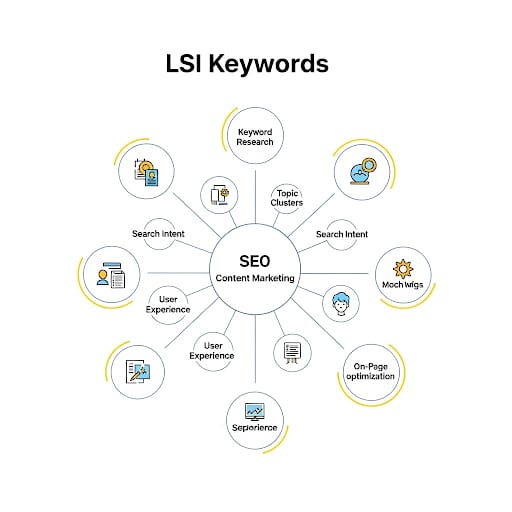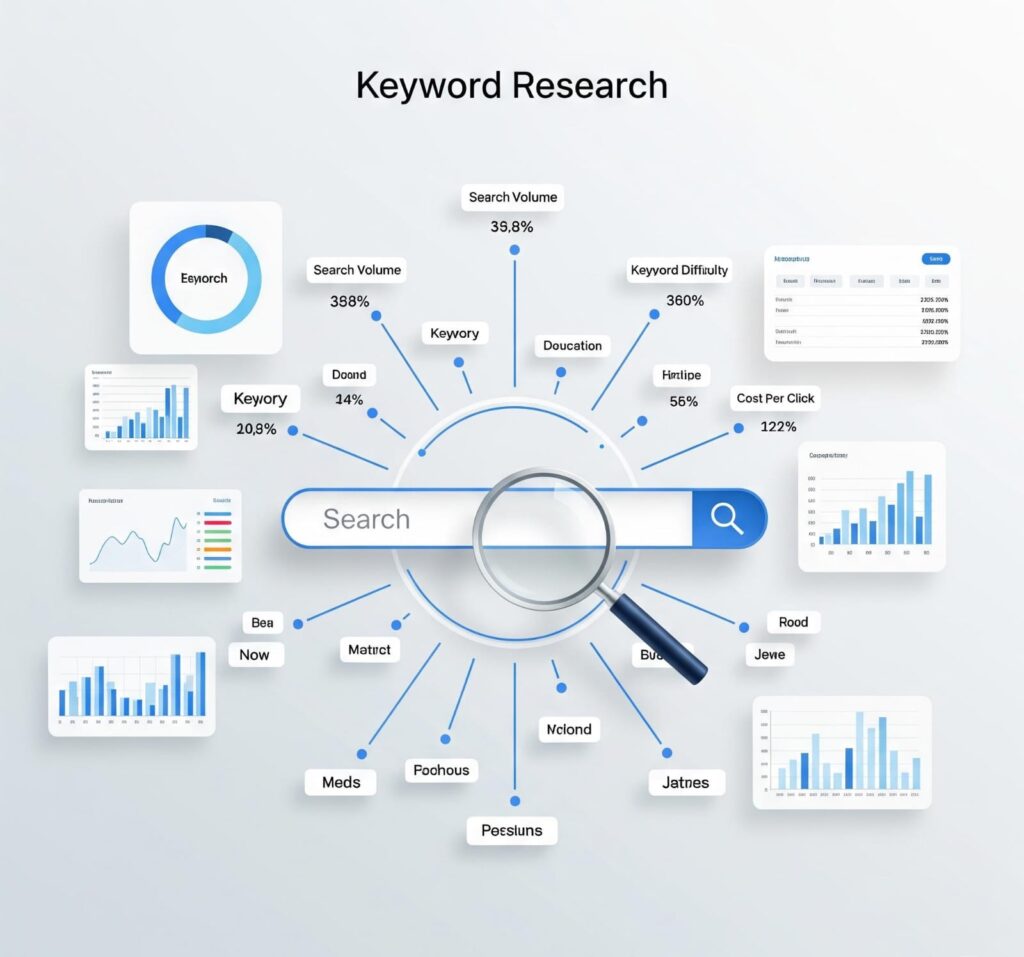

Keyword Research 2026: 9 Powerful Tricks Every New Blogger Must Know

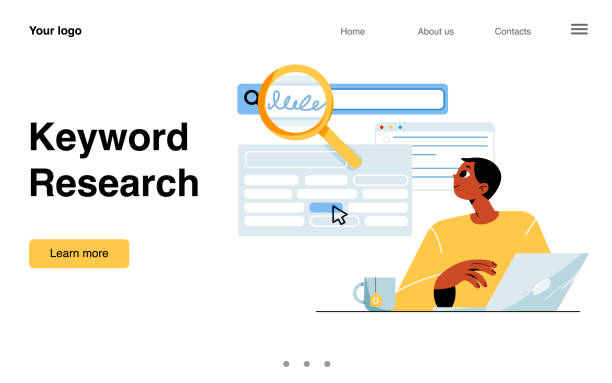
New blogger doing keyword research using AI tools in 2025

Why Keyword Research Matters More Than Ever

Starting a blog in 2026? Then mastering how to do keyword research for a new blog is not optional—it’s essential. Without it, your amazing content might never be seen.

Keyword research helps your blog rank higher on Google by targeting search terms that your audience is already using. And the smartest way to get discovered in today’s competitive landscape is by focusing on low-competition keywords and long-tail keywords that match user intent.

🔍What Is Keyword Research in Blogging?

📘A Simple Definition for Beginners

Keyword research is the process of identifying the exact words and phrases that people type into search engines like Google.

As a new blogger, this means you’re not just writing what you want—you’re writing what people actually search for.

keyword-research-tips-for-new-bloggers-2025

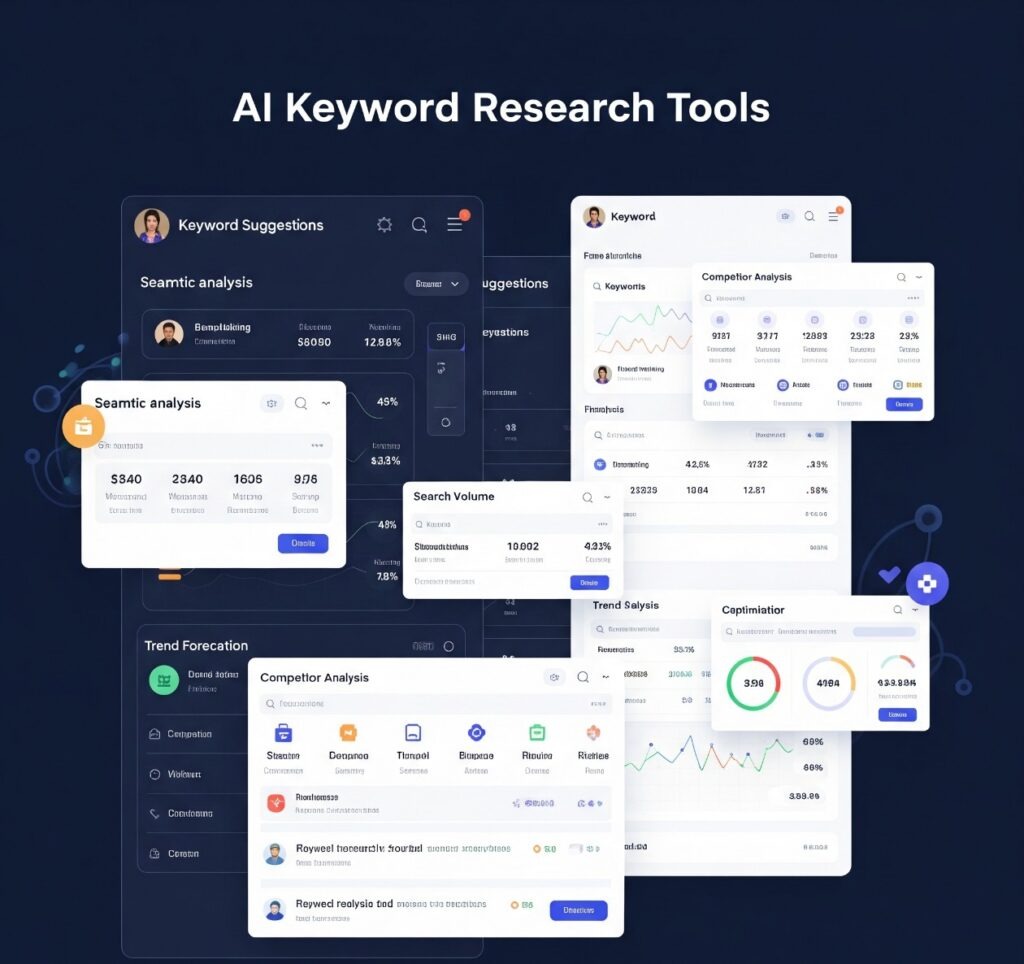
Are you looking to boost your content game and attract both readers and search engines? Then don’t miss these powerful AEO Tips to Successfully Use ai keyword research tool that can transform your blog strategy. With the right AI tools and expert optimization, you can craft content that not only ranks but also connects with your audience on a deeper level. Discover how AI can spark creativity, streamline your writing process, and help you dominate featured snippets with ease.

🎯 Why It’s Crucial for New Blogs in 2026

  • Helps your blog posts appear in Google search results
  • Targets specific user intent (informational, transactional, or navigational)
  • Increases traffic without paid ads
  • Builds authority in your niche

If you’re just starting out, doing keyword research the right way gives you a real chance to compete with older websites.

🛠️Tools to Do Keyword Research for a New Blog (Free + Easy)

You don’t need a paid SEO tool to begin. There are plenty of free keyword tools that give powerful insights.

🔧Ubersuggest

  • Shows search volume, keyword difficulty, and CPC.
  • Ideal for spotting low competition keywords
  • Beginner-friendly dashboard

🧠ChatGPT & Gemini AI

Prompt-based tools like ChatGPT can quickly generate:

  • Blog topic ideas
  • Long-tail keyword suggestions
  • Related questions for FAQs

As AI-powered search continues to evolve, it has become essential for content creators to learn gemini search optimization to stay ahead of the competition. Google’s Gemini-driven search experience focuses heavily on context, intent, and content quality rather than just keyword stuffing. By choosing to learn Gemini search optimization, bloggers and marketers can create more helpful, structured, and intent-focused content that aligns with how AI understands user queries. If you want your content to remain visible, relevant, and future-ready, now is the perfect time to learn gemini search optimization as part of your long-term SEO strategy.

Try asking:

👉 “Give me 20 long-tail keywords for a travel blog targeting budget trips.”

🔎Google Autocomplete + People Also Ask

As you type a topic in Google, suggested phrases appear below. These are real-time queries from real users.

Use these suggestions for:

  • Blog titles
  • Subheadings
  • FAQ sections

📊Answer The Public

  • Generates keyword clusters in a visual format
  • Great for finding “what”, “how”, “why” type queries
  • Perfect for brainstorming question-based posts

keyword-research-tips-for-new-bloggers-2025

📈Step-by-Step Keyword Research Process (for Beginners)

🪜: Step 1 – Define Your Niche Clearly

Before you research anything, answer this:

  • Who are you writing for? (Example: Students, Moms, Remote Workers)
  • What is your topic area? (Example: Fitness, Finance, Blogging, Recipes)

🔑 Your niche helps you stay consistent and attract a focused audience.

📝 : Step 2 – Find Your Starting Keywords

Seed keywords are broad terms like:

  • blogging tips
  • travel hacks
  • weight loss foods

Use them as your starting point in tools like Ubersuggest or Google Keyword Planner.

🧪: Step 3 – Expand Into Long-Tail Keywords

Long-tail phrases target niche queries and offer better ranking chances, such as:

These are easier to rank for and match search intent better.

🎯: Step 4 – Analyze Keyword Metrics

Focus on:

  • Search Volume: 100–1,000/month is ideal for new blogs
  • Keyword Difficulty: Under 30 (according to Ubersuggest or Ahrefs)
  • CPC: Optional, but helpful if planning to monetize

📌: Step 5 – Choose Keywords Based on Relevance

Choose keywords that:

  • Are relevant to your niche
  • Solve a specific user problem
  • Have enough search volume
  • Are low competition
keyword-research-tips-for-new-bloggers-2025

🧲: Where and How to Use Keywords for Maximum Ranking Impact

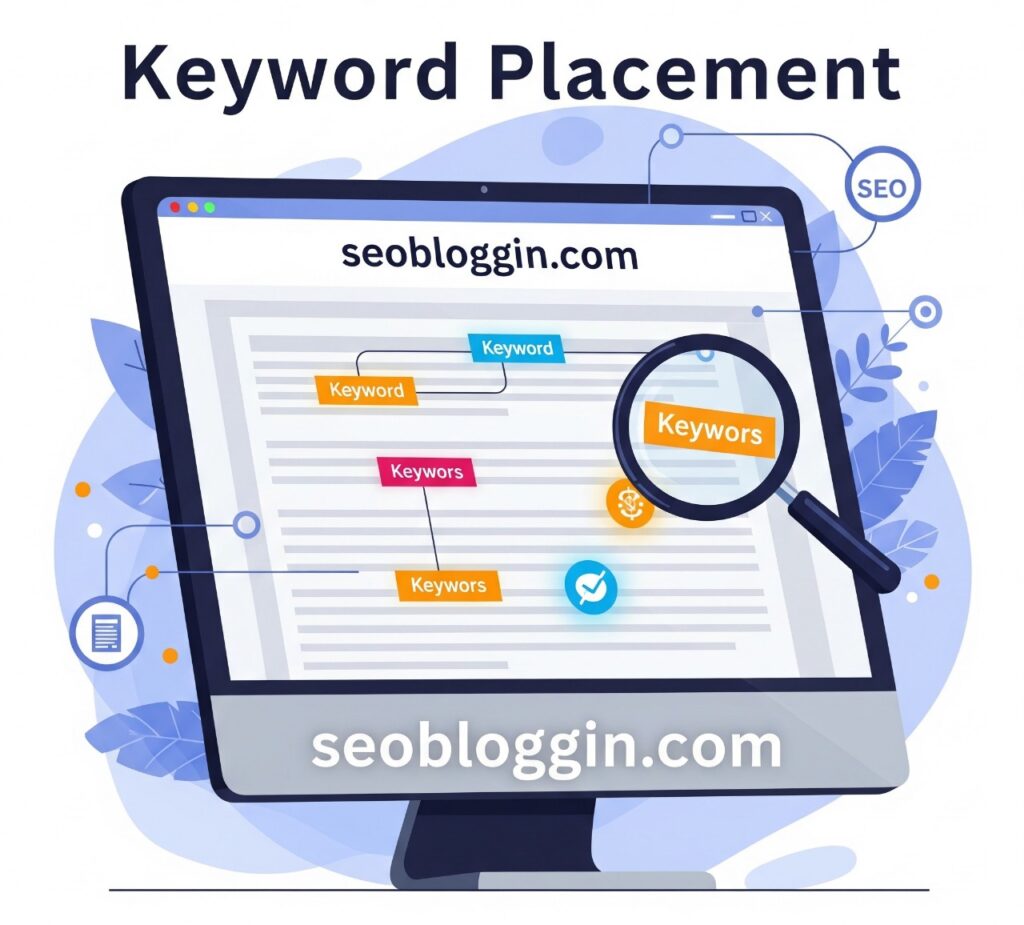
📌: Keyword Placement Checklist

📍 Area✍️ Example
Page Title (H1)How to Do Keyword Research for a New Blog
Meta DescriptionAdd it naturally for better CTR
URL Slug/keyword-research-for-new-blog-2026
First ParagraphUse once in first 100 words
Subheadings (H2, H3)Include variations naturally
Image ALT TextDescribe images using keywords
Conclusion/Last ParagraphUse once in the first 100 words

⚠️: Common Keyword Research Mistakes to Avoid

❌: Targeting High-Volume, High-Competition Terms

Example: “SEO” or “Fitness” — way too broad!

❌: Ignoring Search Intent

Don’t just look at numbers. Ask:

🔎 Does this keyword match what my reader is looking for?

❌: Keyword Stuffing

Overusing keywords can make your content hard to read and may negatively impact your rankings. Focus on writing naturally with your readers in mind.

💡: Quick Example – Keyword Research in Action

Say your blog is about productivity tips.

Using ChatGPT and Ubersuggest, you find:

  • “Tips to maintain focus while working remotely”
  • “Top productivity apps for freelancers”
  • “Daily habits of successful remote workers”

These are specific, useful, and easy to rank.

They make perfect blog posts — or even a series.

🚀 Conclusion: Take the First Step Towards Blog Success

Keyword research isn’t just an SEO trick — it’s your roadmap to building a blog that gets seen, read, and ranked.

By focusing on the right keywords, using free tools smartly, and staying consistent, you can take your new blog from invisible to impactful.

🙋‍♂️ FAQs

❓1. What is the best free tool for keyword research?

Answer:
One of the best free keyword research tools is Google Keyword Planner, but you can also use Ubersuggest, AnswerThePublic, and ChatGPT for generating long-tail keyword ideas. These tools help you discover trending keywords, search volume, and user intent — all without spending money.

❓2. How many keywords should I use in one blog post?

Answer:
For optimal results, focus on 1 main keyword and 2–3 related long-tail keywords per blog post. Overusing keywords can lead to keyword stuffing, which hurts SEO. Instead, aim for natural placement in the title, H2/H3 headings, meta description, and intro paragraph to keep your content both Google-friendly and reader-friendly.

❓3. Can new blogs rank with long-tail keywords?

Answer:
Absolutely! Long-tail keywords for new blogs are a powerful way to rank on Google faster. These phrases have low competition and are more aligned with what users are specifically searching for. Targeting long-tail keywords can help new bloggers attract organic traffic without needing high domain authority.

❓4. How often should I do keyword research?

Answer:
It’s best to do keyword research every time you plan new blog content. For active bloggers, reviewing your keyword strategy every 2–4 weeks keeps you updated on trends, competitor shifts, and seasonal keyword changes. Regular updates improve your content’s visibility and relevance.

❓5. Are paid tools better than free tools?

Answer:
Paid SEO tools like Ahrefs and SEMrush offer advanced data, competitive analysis, and keyword tracking. However, many free keyword research tools like Ubersuggest, Google Trends, and ChatGPT can still deliver excellent results — especially for beginner bloggers. Start with free tools, and upgrade later if needed.


25+ Long-Tail Keyword Ideas for Niche Blogs in 2026 — Free AI Tools Included

Chart showing long-tail keyword ideas examples for blog SEO

Are you consistently publishing blog posts but still not seeing the traffic you expected? You might be overlooking a key element in your SEO strategy — long-tail keyword ideas. These highly specific phrases help connect your content with users actively searching for exactly what you offer. Their true power lies in helping you rank faster by avoiding high-competition keywords.

These precisely focused phrases allow you to reach users who are specifically looking for what you provide. Their real strength lies in helping you achieve higher rankings more quickly by steering clear of intense keyword competition.

  • In this guide, you’ll learn:
  • What long-tail keywords are
  • Why they’re essential for niche bloggers
  • 25+ real examples you can use today
  • Discover top no-cost AI tools to uncover even more keyword opportunities!

🔍 Understanding Long-Tail Keywords

Long-tail keywords are longer, more detailed search queries that reflect specific search intent. While a short keyword like “blogging” might be highly competitive and vague, a long-tail version such as “how to start a food blog in India 2026” is focused and actionable.

These keywords usually contain three or more words and are closely aligned with what users actually want.

If you’re looking to level up your content game without spending a dime, don’t miss our detailed guide on the AI tools for seo keyword research: Top 10 Powerful & Free AI Keyword Research Tools. These tools can help you uncover hidden long-tail keyword ideas, analyze competition, and boost your blog’s visibility — all without paying for premium software. Whether you’re a beginner or an experienced blogger, these AI-powered tools make keyword research fast, simple, and effective.

Screenshot of free AI tools for long-tail keyword ideas

🚀 Why Long-Tail Keywords Are Powerful for Niche Sites

If your blog is new or you’re operating in a highly specialized niche, long-tail keywords are your best bet to gain visibility in search engines.

Here’s why they matter:

✅ Top Advantages of Long-Tail Keywords

  • 🎯 Low Competition: These phrases face less SEO pressure, making it easier for smaller sites to rank.
  • 🧲 Targeted Visitors: Users searching for specific queries are more likely to click, stay longer, and convert.
  • 💬 Optimized for voice queries: Long-tail keywords often reflect natural, conversational language.
  • 📚 More Content Opportunities: They naturally inspire in-depth, useful blog topics.
  • 🧠 Better User Intent Matching: Long-tail queries indicate what a user really wants to know.

🧩 25+ Long-Tail Keyword Ideas Examples by Niche

Not sure which long-tail keywords to use? Here are real examples broken down by blog topic:

🖋️ Blogging and SEO

  • How do AI tools assist in keyword research for niche blogs?
  • Free SEO checklist for beginner bloggers
  • Beginner-friendly methods to spot low-competition keywords fast
  • Tools to analyze keyword difficulty without paying
  • How to organize blog content for better readability and ranking?

🧘 Health & Wellness

  • Home yoga routines for working professionals
  • natural ways to improve mental clarity without medication
  • Best diet tips for managing PCOS naturally
  • stress-reducing habits for busy parents
  • Easy-to-make detox dishes perfect for a clean-eating reset

💸 Personal Finance

  • What are the smartest daily habits to reach ₹10K savings/month?
  • Investment options for 25-year-olds in India
  • Money-saving challenges for couples in 2026
  • freelance income tax tips for side hustlers
  • Monthly budget templates for single parents

🌍 Travel

  • Most affordable destinations for solo female travelers
  • Visa requirements for Indians visiting Southeast Asia
  • How to book cheap international flights in 2026
  • Packing guide for monsoon treks in India
  • Beginner tips for solo road trips in a rental car

💡 Want to save time and discover better keyword ideas with less effort? Check out our in-depth guide on the Best AI Keyword Research Tools for Bloggers. These tools use smart algorithms to generate long-tail keyword ideas, analyze trends, and give you actionable data to grow your blog faster. Whether you’re in a niche or a broad category, these AI tools can simplify your SEO strategy and improve your content planning.


Screenshot of free AI tools for long-tail keyword ideas

🤖 Free AI Tools to Find Long-Tail Keywords

No need to spend on premium tools—these free AI options can generate powerful long-tail keyword ideas with ease.

1. ChatGPT

Use custom prompts like:

> “Give me 30 long-tail keywords for a fitness blog focused on women over 40.” ChatGPT will generate niche-relevant suggestions instantly.

2. AnswerThePublic

This tool visualizes common search questions. Enter your topic, and it shows what people are really asking online.

3. Google Auto-Suggest & People Also Ask

Simply type a phrase in Google and pay attention to the suggested search terms and questions in the “People Also Ask” box — they’re long-tail goldmines.

4. Ubersuggest (Free Version)

Great for beginners, Ubersuggest. Get volume, competition scores, and additional long-tail keyword ideas without paying.

5. AlsoAsked.com

Perfect for finding question-based keywords to create detailed blog FAQs or tutorials.


📌 How to Use Long-Tail Keyword Ideas Correctly

Finding long-tail keyword ideas is only half the battle. Placing them strategically within your content is what brings results.

🧠 Where to Place Long-Tail Keyword Ideas

  • Page Title & H1
  • SEO Meta Title & Description
  • URL Slug (Short but Keyword-rich)
  • Opening paragraph
  • Subheadings (H2/H3)
  • Image ALT text & filenames
  • Last paragraph + call-to-action

⚠️ Important: Avoid keyword stuffing. Write naturally and use synonyms where possible.


🚀 Just starting your blogging journey and not sure where to begin? Don’t worry — our detailed guide, Blogging for Beginners in 2026: A Complete Roadmap, walks you through everything step by step. From picking your niche to publishing your first post and driving traffic, this roadmap is packed with practical tips and beginner-friendly strategies tailored for the latest trends in 2026.

Screenshot of free AI tools for long-tail keyword ideas

📈 Building a Long-Tail SEO Strategy

Want to grow traffic consistently? Follow this long-term keyword plan:

✅ Steps to Create a Sustainable SEO Strategy

  1. Choose a narrow blog niche (e.g., budget travel for students).
  2. Take advantage of free AI tools to discover groups of long-tail keywords related to your topic.
  3. Plan and publish focused blog posts around each keyword.
  4.  Interlink Relevant Posts to Build Topical Authority
  5. Track performance with tools like Google Search Console.

The result? A blog that ranks, grows, and attracts loyal readers.


❓ FAQs – Long-Tail Keywords Explained

❓ How long should a long-tail keyword idea be?

👉 Most long-tail phrases are 4 to 7 words, depending on the query type and niche.

❓ Do Long-Tail Keywords Really Bring in Traffic?

👉 Individually, they may bring less volume, but combined, they deliver high-quality, intent-driven traffic consistently.

❓  How Many Long-Tail Keywords Should You Use?

👉  Target a Core Keyword + Supporting Variants


🧾 Final Thoughts: Grow Smarter with Long-Tail Keywords

If you’re serious about building a blog that brings in real, consistent traffic — long-tail keywords are your secret weapon.

They’re beginner-friendly, Google-approved, and a perfect fit for niche blogs of all kinds. Whether you’re in finance, travel, health, or blogging itself, focusing on these keywords can help you grow smarter—not harder.

So start using them today. Pair these keyword ideas with free AI tools, write useful content, and watch your blog grow in 2026 and beyond.

> 💡 Pro Tip: Want long-tail keyword ideas custom-made for your niche? Drop your blog category in the comments, and I’ll send you a free keyword bundle!

❓ FAQs – Long-Tail Keyword Ideas for Bloggers

❓1. What are long-tail keyword ideas, and why should I use them on my blog?

ANS- Long-tail keywords are longer, specific search phrases that target a focused audience. They are easier to rank for and attract more relevant traffic than short, competitive keywords. If you’re a new blogger, they can help you grow faster with less SEO struggle.

❓2. How do I find long-tail keywords for my niche blog?

ANS- You can find long-tail keywords for your niche blog by using free tools like Google Auto-Suggest, AnswerThePublic, Ubersuggest, and ChatGPT. These tools help uncover what people are really searching for in your niche. Start by typing basic topics related to your blog and look for extended phrases that include 3 or more words — these are your long-tail keyword ideas. Focus on keywords that reflect specific user intent, are low in competition, and match the exact needs of your target audience. This approach helps you create more targeted and rankable content.

❓3. Can long-tail keyword ideas really increase my blog traffic?

ANS- Absolutely! Since long-tail keywords match user intent more precisely, they often result in higher click-through rates, better engagement, and faster ranking — especially for new or small blogs.

❓4. How many long-tail keywords should I target in one blog post?

ANS- Focus on one main long-tail keyword, and support it with 2–3 related or LSI keywords. Make sure the keywords fit naturally into your content, especially in the title, intro, subheadings, and meta tags.

❓5. Do long-tail keywords work for all blog niches?

ANS- Yes, they’re effective in every niche — from travel and fitness to personal finance and tech. The key is to understand your audience’s specific problems or questions and build content that answers them using those keywords.


Google AI Search Mode 2026: Powerful Reasons This Update Will Change Everything

Google AI Search Mode 2025 Interface and Features

Table of Contents

The 2025 release of Google AI Search Mode introduces groundbreaking capabilities that completely redefine how we explore online content. Google has taken a significant leap forward by integrating advanced generative AI into its core search engine.

Now, users receive more personalized, contextual, and interactive results, making searches quicker and smarter than ever. Whether you’re a content creator, business owner, or casual user, this new update will change how you search — forever.


Google AI Search Mode 2025 Interface and Features
Businessman using smartphone clicking internet search AI search engine bar for data search optimization by artificial intelligence technology. Ai search tech concept

🤖 What is Google AI Search Mode 2025?

This newly introduced search system harnesses the power of generative AI and deep machine learning to enhance user queries and deliver highly relevant responses.

🔹 Key Highlights:

  • AI-generated answers
  • Source-based summaries
  • Visual + interactive content
  • Smart follow-up suggestions

AI no longer just finds websites — it understands your questions, summarizes data from multiple sources, and gives real-time, rich answers.


🔍 How Does AI-Powered Google Search Work?

💬 1. Natural Language Understanding (NLU)

Google’s NLP engine is now context-aware. You can ask questions in a natural tone like:

“What are the best free SEO tools beginners can use in 2025?”

💡 Pro Tip: AI chatbots prefer content that sounds helpful, not promotional. Optimize for clarity, context, and completeness — and your content is more likely to be featured directly in AI answers. “What are the best free SEO tools beginners can use in 2025?”

⚙️ 2. Generative AI with SGE (Search Generative Experience)

Using SGE, Google presents quick summaries, featured facts, and highlights directly from trusted sources.

📲 3. Cross-Platform Intelligence

Google syncs your search behavior across mobile, desktop, and voice assistants — for a consistent and highly personalized experience.


💥 7 Powerful Reasons Why Google AI Search Mode is a Game-Changer

1️⃣ AI-Curated Answers Instantly

Get quick, structured, and accurate answers without browsing multiple links.

2️⃣ Personalized Results Tailored to You

Google now considers your location, past searches, and preferences for more accurate suggestions.

AI better understands and responds to conversational and voice-based queries.

4️⃣ Real-Time Search Enhancements

Live updates on weather, stocks, news, and more — all within the search box.

5️⃣ Interactive Search Interface

An engaging layout using charts, videos, tabs, and expand/collapse sections for deeper content exploration.

6️⃣ Conversational Follow-Ups

Google now suggests follow-up questions and related comparisons for a richer search journey.

7️⃣ Less Fake News, More Trusted Results

Google prioritizes high-E-E-A-T (Experience, Expertise, Authoritativeness, Trustworthiness) content and minimizes misinformation.

Google AI Search Mode 2025 Interface and Features
human hand choosing ai in search bar on virtual screen artificial intelligence internet networking concept horizontal vector illustration

🧠 Expert Tips to Navigate Google AI Search Mode Like a Pro

✅ Step 1: Enable AI Search Mode (If Not Already Active)

Most users already have this by default. To verify:
Settings → Search Experience → Enable AI Features

Sure! Here’s how to rewrite the “Use Long, Conversational Queries” section with a focus on the “keyword research” topic. It’s optimized for Google AI Search Mode and includes examples relevant to SEO/bloggers:


✅ Step 2: Use Long, Conversational Queries for Keyword Research

In Google AI Search Mode, short queries like “keyword research” won’t be enough to trigger rich AI summaries or personalized results. Instead, use long, conversational questions that reflect how real people speak.

🧠 Example Queries:

  • “How can beginners do keyword research for a blog in 2025?”
  • “What’s the best free keyword research tool for new bloggers?”
  • “How to find low-competition keywords for affiliate marketing?”
  • “Which Google AI tools help with keyword research in SEO?”

These types of questions trigger AI-powered summaries, related follow-ups, and even visual suggestions — making your search smarter and more helpful.

💡 Pro Tip: Think like your audience. What would they type into Google? That’s your ideal long-tail keyword.


✅ Step 3: Explore Follow-Up Suggestions

Don’t stop after one question. Check the suggestions to explore deeper insights instantly.

✅ Step 4: Use the “AI Overview”

For eligible searches, a rich summary appears at the top — use it for a fast understanding without needing to click.


📈 Blogging for Beginners: Tactics for the Google AI Roadmap

✍️ Write Helpful, Long-Form Content

Focus on valuable, structured, and informative posts over short keyword-stuffed blogs.

🔍 Focus on E-E-A-T Principles

Showcase real expertise, case studies, data, and authentic insights.

✅ Structure Your Content Smartly

Use H2s, H3s, lists, tables, and visuals — AI scans and understands well-organized content more effectively.


AudienceBenefits
UsersSmarter, faster, and contextual results
BloggersBetter ranking through AI snippets
BusinessesQualified leads, local/global visibility

Google is preparing for a completely immersive and intuitive search experience.

🌐 Future Features Expected:

  • Multimodal Search: Ask with voice and image together
  • AI Shopping Advisor: AI compares products based on features and price
  • Visual-First Search: Use screenshots and video clips to search
  • Gemini AI Integration: Personalized chatbot experience within Google Search

📌 Tips to Rank Higher in Google AI Search Mode

📄 1. Write for Humans First, AI Second

Keep your tone helpful, clear, and engaging. Don’t overstuff keywords.

✅ 2. Use FAQ Schema

Implement structured FAQ blocks to appear in AI Snippets.

🎯 3. Target Long-Tail Keywords

Example: “Best AI Keyword Research Tools for Bloggers

Google AI Search Mode 2025 Interface and Features
AI search bar. Artificial intelligence chatbot. Browsing with LLM Browser. Query window. Generate tool.

🖼️ 4. Optimize for Visual and Structured Data

Use alt text for images, tables for data, bullets for clarity, and metadata for better AI comprehension.


The Google AI Search Update 2025 is more than a tech upgrade — it’s a complete revolution in how search works.

✔️ What You Should Do Now:

  • Embrace long-form, context-rich content
  • Focus on answering user intent clearly
  • Make your blog AI-ready with structure and value

💡 Because AI isn’t the future of search — it’s already here.

FAQ’s-

Q1. What is Google AI Search Mode 2025?

ANS- Google AI Search Mode 2025 is a new search experience powered by artificial intelligence. It understands your questions, summarizes answers from trusted sources, and gives fast, interactive responses — instead of just listing websites.

Q2. Wuich tools are useful for preparing content for AI search?

ANS- You can use tools like:

Google Keyword Planner – for finding long-tail keywords

AnswerThePublic – for discovering real questions

Rank Math or Yoast SEO – for optimizing content structure

Google Search Console – to track performance and indexing

Q3. How can I activate Google AI Search Mode?

ANS- In most regions, it’s already active by default. To check manually:
Go to Google Settings → Search Experience → Enable AI Features

Q4. How do I make my content visible in Google AI Search?

ANS- To increase your chances of getting featured, follow these steps:

* Write helpful, in-depth content

* Use clear headings and bullet points

* Focus on user intent, not just keywords

* Add FAQs and visuals

* Apply E-E-A-T (Experience, Expertise, Authoritativeness, Trustworthiness)

Q5. Can Google AI Search Mode handle voice commands?

ANS- Yes! The new system works great with voice searches. You can speak naturally, and it will understand your query better than before, offering precise answers.

7 Best AEO Tips to Successfully Optimize Content for AI Chatbots

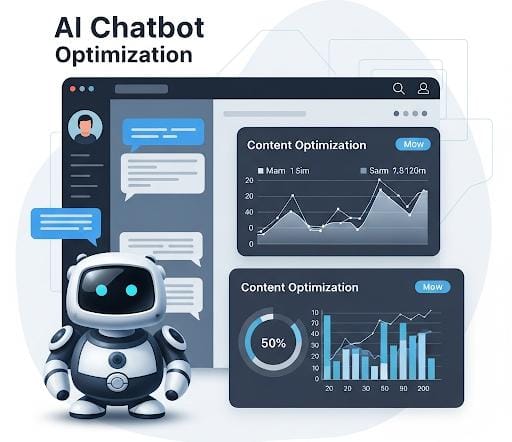
AEO tips for optimizing blog content for AI chatbots like ChatGPT

AEO Tips are now more important than ever because the future of search is shifting from traditional Google results to AI-generated answers. Welcome to the world of Answer Engine Optimization (AEO) — where your content isn’t just written for humans but crafted to communicate clearly with AI systems like ChatGPT, Google Gemini, Bing Copilot, and Perplexity AI. If you’re still optimizing only for old-style SEO, you’re already behind, because AI engines now prefer content that is conversational, structured, and answer-focused. With the right AEO Tips, you can help your content rank higher, appear in direct AI responses, and stay ahead of the massive changes Google is rolling out in 2025.
Don’t miss this update on how Google is changing the game — Google AI Mode Launched in India


What is AEO Tips(Answer Engine Optimization)?

How AEO Differs from Traditional SEO

AEO is all about making your content easy for AI and search engines to understand and deliver as direct, helpful answers to user queries.

Unlike traditional SEO, which optimizes for ranking on SERPs (Search Engine Results Pages), AEO is about providing instant, helpful, concise answers that are chatbot-ready.

Why AEO Matters in 2025 and Beyond

  • 65% of users now prefer direct answers from chatbots.
  • Platforms like ChatGPT are quickly replacing “Googling”.
  • Google’s SGE (Search Generative Experience) now puts AI at the center, delivering smart, AI-generated answers right at the top of search results

Ignoring AEO now is like ignoring mobile SEO in 2012.

AEO tips for optimizing blog content for AI chatbots like ChatGPT

Why You Need to Optimize Content for AI Chatbots

Rise of Chatbots like ChatGPT, Gemini, and Perplexity AI

AI chatbots scan the web for high-quality, answerable content. If your site isn’t optimized for that, you’re invisible.

User Behavior Shifting from Search to Direct Answers

People now ask:

They don’t scroll. They want direct, fast, simple answers.


1. Focus on Conversational and Direct Answers

Be Human, Be Helpful

AI loves human-sounding, friendly, and factual content. Write like you’re chatting with a friend.

👉 Instead of saying:

“Keyword optimization means choosing the right words so search engines know exactly what your content is about.”

Say:

“Want more traffic? Start by optimizing your keywords — it’s super simple!”

Examples of Chatbot-Friendly Answer Style

Bad Example:
“Keyword optimization is critical for SERP ranking algorithms.”

Good Example:
“Keyword optimization helps your page rank better — it tells search engines what your content is really about.”


2. Structure Your Content with Clear Questions and Answers
Use Q&A Format and FAQs

AI chatbots prefer clearly structured content. Use questions as H2/H3 headings, then provide concise answers.

AI Loves Clarity and Simplicity

Answer like a 10-year-old should understand it. No jargon. No fluff.


How to Win Snippets in Google & AI Chatbots

  • Use bullet points
  • Provide definitions
  • Use step-by-step formats
  • Add short paragraphs (2-3 lines) Google AI

Format Your Content Using Lists, Tables, and Steps

TaskHow To Optimize
Add a How-ToUse H2 → Steps below
List FeaturesUse bullets (✔️, 🔥)
Explain ConceptKeep under 50 words

4. Use Schema Markup (FAQ, How-To, etc.)

Help AI Understand Your Content Easily

Schema helps bots read and interpret your content faster and better.

Tools to Add Schema Without Coding

  • Rank Math SEO Plugin (super easy for WordPress)
  • Schema Pro
  • Yoast SEO

Just click, add the FAQ block, and you’re done.

AEO tips for optimizing blog content for AI chatbots like ChatGPT

5. Target Long-Tail and Question-Based Keywords

Natural Phrases People Use in Voice & AI Searches

People now search like they talk.

🗣️ Instead of “best laptop 2025”, they say:

“What’s the best budget laptop for college students in 2025?”

Use tools like:

To find those juicy long-tail queries.


6. Maintain Topical Authority and Semantic Relevance

Google and AI want topic clusters, not isolated articles.

Example: If your topic is “SEO Tools”, also cover:

Internal Linking for AI Understanding

Use internal links to build context.

👉 Link: “Also check our guide on [Best AI Keyword Research Tools for Bloggers]

AEO tips for optimizing blog content for AI chatbots like ChatGPT

7. Ensure Mobile and Voice Optimization

Why Voice Search is Key to AI Chatbot SEO

Most AI searches come from voice inputs or mobile devices. Make sure:

  • Your site loads fast
  • Sentences are short
  • Your tone is conversational

Keep Sentences Short and Snappy

❌ “Optimization strategies must include an alignment of…”
✅ “Want better rankings? Use smart optimization tips.”


Final AEO Checklist for AI Chatbot Optimization

✅ Use Q&A Format
✅ Add Schema Markup
✅ Target Long-Tail Keywords
✅ Keep Tone Conversational
✅ Add Internal Links
✅ Mobile-Friendly Design
✅ Focus on Snippets & Voice


Conclusion: Future-Proof Your Content with AEO Tips

The future isn’t just search—it’s answers.

By implementing these 7 AEO Tips, you’re setting up your content to shine in the age of AI chatbot SEO. Whether it’s ChatGPT, Perplexity AI, or Google’s SGE, your optimized content will stand out, get picked, and drive results.

AEO isn’t optional anymore — it’s the new SEO. Start applying it today and stay 10 steps ahead of the game!

FAQs-

Q1. What is the difference between SEO and AEO?

ANS- Think of SEO as making your content visible to Google search results, while AEO (Answer Engine Optimization) is all about making your content ready for AI chatbots like ChatGPT or Gemini to pick and serve as direct answers.
SEO = Rank on page 1
AEO = Be the answer on top!

Q2. How do I make my content chatbot-friendly?

ANS- Easy! Just write like you talk. Break info into questions and short answers, keep your tone friendly, and avoid big, boring blocks of text. Bonus tip? Use FAQs, bullet points, and headings — chatbots love that structure!

Q3. Do I still need backlinks with AEO?

ANS- Yes, but they’re not the whole game anymore. Backlinks still build trust, but AEO focuses more on clear answers, content structure, and question intent. Think of backlinks as the fuel, and AEO as the GPS that gets you noticed faster.

Q4. Can I use AI tools to optimize for AEO?

ANS- Absolutely! Tools like Content AI, Frase, or Surfer SEO can help you write in a way that both people and AI love. It’s like having a smart co-pilot who knows exactly what search engines and chatbots want.

Q5. How fast can I see results with AEO?

ANS- Sometimes within weeks, especially if your content is fresh, structured, and solves real questions. While traditional SEO takes months, AEO can skyrocket visibility faster — especially in AI-generated answers and voice search results!

AI vs Human Content: 5 SEO Facts Google Wants in 2026

AI vs Human Content for SEO

Table of Contents

AI vs Human Content has become one of the biggest debates in SEO as we move into 2025, and every blogger wants to know which one Google prefers for better ranking. With smarter algorithms, Google now evaluates content based on value, experience, and authenticity—making the clash of AI vs Human Content more important than ever. Whether you’re new to blogging or already creating content regularly, understanding how both styles work can help you create helpful, high-ranking posts that match Google’s expectations. Tools like ChatGPT and Gemini are faster and smarter than ever, but the human touch still matters. So, learning how to balance both is essential if you want to win at SEO in 2025.


Understanding the Basics: AI vs Human Content

What is AI-Generated Content?

AI content is written by tools like ChatGPT, Jasper, Copy.ai, etc. These tools process huge data sets and generate readable content in seconds.

But with Google ranking in 2025 being more experience-focused, is speed enough?

What is Human-Written Content?

Human content is what you’re reading now—crafted with thought, emotion, tone, and creativity. It tells stories, adds personal experiences, and connects with readers on a real level.

AI tools vs human writers in 2025

Key Differences Between AI and Human Content

FeatureAI ContentHuman Content
SpeedSuper fastSlower
EmotionLackingRich and relatable
CreativityLimitedUnique
PersonalizationGenericCustomized
SEO ValueDependsOften higher with context

How Google’s Algorithm Has Evolved

Google in 2025 is smarter than ever. It’s not just scanning for keywords—it’s analyzing user intent, content value, and relevance. It rewards experience, authority, and helpfulness.

What users want and how they experience your content matter more now than ever before

If your content doesn’t solve a real problem or answer a genuine question, it won’t rank—no matter who wrote it.

The Rise of Semantic Search and EEAT

Google now cares more about the real value your content offers, not just how many keywords you use. EEAT—Experience, Expertise, Authoritativeness, and Trustworthiness—is no longer optional; it’s a must-have for ranking. What is EEAT in SEO, and why is everyone talking about it in 2025? EEAT stands for Experience, Expertise, Authoritativeness, and Trustworthiness—and it’s the backbone of how Google decides which content deserves to rank. It’s not just a fancy acronym; it’s the secret sauce behind every high-ranking page. If your content lacks real-world experience, credible authorship, and trust signals, you’re simply not going to make it to the top in today’s SEO landscape. Want to win Google’s trust? Start by mastering EEAT in your content strategy.


Fact #1 – Google Prioritizes Helpful, Quality Content

Quality is king—and Google’s throne has no room for fluff.

Google’s Focus on Value Over Volume

Gone are the days when publishing daily would boost rankings. Today, it’s about being helpful and actionable.

AI’s Limitations in Providing Deep Context

AI struggles with nuance. It can give a definition, but not always a detailed insight with experience.

Human Touch in Personalization

Humans know how to make content speak to another human. They know pain points, emotions, and real-life struggles.


Fact #2 – Originality Is Non-Negotiable

Google’s Battle Against Duplicate and Plagiarized Content

AI tools often reuse patterns. Even if it’s not word-for-word, the ideas can feel recycled. That’s risky for SEO.

Can AI Be Truly Unique?

Technically, yes. But originality with emotional depth? That’s a human superpower.

Why Human Creativity Still Reigns

Humans invent metaphors, stories, and jokes. AI? Not so much.


Fact #3 – Authority and Trust Come from Human Experience

EEAT and Its Importance in 2025

AI can mimic tone but not real experience. In the fight of AI vs Human Content, human authors provide trust signals that Google recognizes.

Real-Life Examples and Case Studies

Readers love real examples. AI can’t reference its own life—it has none.

AI Lacks Real-World Experience

While a machine can process and summarize feedback, it can’t have your personal experience—or literally wear your shoes.


Which ranks better: AI or Human content?

Fact #4 – Engagement Metrics Speak Loudest

Bounce Rate, Time on Page, and Click-Through Rates

These often come from storytelling and emotional tone, favoring human input in AI vs Human Content strategies.

Why Human Stories Connect Better

Humans love stories. They make us stay longer and click deeper.

AI Can’t Replicate Emotions—Yet

Emotion triggers action. Until AI understands heartbreak, joy, and sarcasm, it’s playing catch-up.


Fact #5 – Hybrid Content Might Be the Future

Merging the Efficiency of AI with Human Insight

Blending both styles in your AI vs Human Content strategy helps you rank faster and better in 2025.

SEO-Optimized + Emotionally Driven = Ranking Gold

That’s the formula: smart structure + real emotion.

Tools for Smart AI-Human Collaboration

  • Combine Grammarly, ChatGPT, and Surfer SEO, and you’ve got a powerful trio to create SEO-friendly content in half the time.

AI Content vs Human Content – Which is Best for SEO?

Pros and Cons of Each

TypeProsCons
AIFast, scalable, SEO-awareLacks emotion, originality, depth
HumanCreative, personal, trustworthyTime-consuming, inconsistent

Which Performs Better in Google Ranking in 2025?

If you balance both right, AI vs Human Content becomes a powerful SEO strategy.


Best Practices to Rank in 2025

SEO Checklist for AI vs Human Content in 2025

  • Focus on user intent: AI vs Human Content (1% density)
  • Prioritize EEAT
  • Use keywords naturally
  • Avoid AI hallucinations
  • Add author info and real-life examples
  • Use visuals and media

Must-Use Tools for AI + Human Collaboration

  • ChatGPT for drafts
  • Surfer SEO for structure
  • Grammarly for polishing
  • Hemingway for clarity
  • Google Search Console for performance tracking

This is how you create optimized, ranking-ready content that wins the AI vs Human Content battle.

Looking to boost your blog traffic using ChatGPT in 2025? These 7 proven ChatGPT SEO tricks for blogging are designed to help you rank your posts higher and faster on Google—without wasting time or money. From keyword-rich content creation to crafting human-like meta descriptions, ChatGPT has become a powerful tool in every smart blogger’s SEO toolbox. Whether you’re a beginner or a seasoned content creator, learning how to use AI blogging tips the right way can give you a serious edge in today’s competitive search landscape.


Conclusion: Striking the Right Balance

Think of AI as your smart assistant—not your boss, and not your enemy. It can show you the way like a GPS, but you’re the one driving the car. Use its power, but let your human touch lead the way.

The best content in 2025 isn’t 100% human or 100% AI. It’s a blend—fast, optimized, and deeply human. That’s what Google wants. That’s what users love. And that’s what ranks.

Because when it comes to AI vs Human Content, Google wants the best of both: precision + personality.


FAQs

Q1. Can AI-generated content rank on Google in 2025?

ANS- Yes, absolutely! Google can rank AI-generated content if it’s helpful, original, and user-focused. Whether content is written by a bot or a human doesn’t matter—what matters is value and trust. So, focus on solving real problems, adding expert input, and making your content readable and relevant.

Q2. How do I know if my content is human enough?

ANS- Ask yourself: Does my content sound natural? Is it useful? Does it feel like a conversation or just a machine dump?
Use tools like Hemingway or Grammarly to test tone. Also, add personal insights, examples, or opinions—these are strong human signals Google loves in 2025.

Q3. What’s the best way to combine AI and human writing?

ANS- Use AI for speed and structure—like outlines, ideas, or drafts. But polish it with human creativity: storytelling, emotional tone, examples, and unique insights. This combo creates content that’s both efficient and effective—a sweet spot Google rewards.

Q4. Will AI replace human writers completely?

ANS- Nope, not anytime soon. AI can assist, but it can’t replace emotion, experience, or creativity. In 2025, brands that combine AI tools with human storytelling will always stand out. People connect with people—not just keywords.

Q5. What content does Google trust more?

ANS- Google trusts E-E-A-T content: Experience, Expertise, Authoritativeness, and Trustworthiness. Whether AI or human writes it, Google prefers content that shows real knowledge, clear purpose, and credibility. So make sure your content has real facts, sources, and a personal touch.

Best AI Keyword Research Tools for Bloggers – Top 7 Picks (Free & Paid)

AI keyword research tools 2025 for bloggers

Introduction

Want to rank your blog posts faster in 2026? Then you must get smarter with keyword research—and AI is your secret weapon.
No more manually checking Google autocomplete or relying on outdated keyword lists. With AI keyword research tools, you can find laser-targeted keywords, uncover hidden opportunities, and beat the competition—all without spending hours on research.

Let’s break down the best tools for bloggers that make keyword research not just easier but actually fun!

Are you tired of guessing which keywords will rank your blog or YouTube videos? 🚀 It’s time to make your content smarter with Free Keyword Generator Tools! These amazing tools reveal the exact words people are searching for on Google and YouTube — helping you find viral, trending topics in seconds. Whether you’re a beginner learning Blog Kaise Banaye or aiming for Google AdSense approval, using a free keyword generator tool can completely change your blogging game. Discover hidden keywords, outrank competitors, and grow your traffic faster — all without spending a single rupee!


Benefits of Using AI in Keyword Research

Save Time and Effort

AI can analyze hundreds of keywords in seconds. No more switching between tabs or manually comparing the competition. Time = saved.

Get Smarter Keyword Suggestions

Unlike traditional tools, AI understands context. That means it gives you keywords that match real human intent, not just what people type.

AI tools are great at spotting patterns. They’ll tell you what topics are heating up before everyone else jumps in.

Improve Search Intent Accuracy


Stop wasting efforts on the wrong audience. AI Keyword Research Tools ensures your content aligns with what readers are actually looking for, cutting down high bounce rates.

Blogging just got smarter—and cheaper! If you’re a content creator trying to save time, boost SEO, and write like a pro, then you need to check out these free AI tools for bloggers. From keyword research to content generation, these tools do the heavy lifting so you can focus on growing your blog. Ready to level up your blogging game without spending a dime?

AI keyword research tools 2025 for bloggers

When Picking an AI Keyword Research Tool

  • AI-Powered Search Intent Analysis: Understand whether a keyword is informational, transactional, or navigational.
  • Competitor Keyword Analysis: Steal what’s already working for others.
  • Real-Time SERP Data: Know what ranks now, not last month.
  • Don’t Keyword Stuff: Weave Keywords Naturally into Your Content. Transform Keywords into Comprehensive Content Ideas.

Top 7 Best AI Keyword Research Tools (Free & Paid)

1. Surfer SEO (Paid)

Surfer SEO combines content optimization with keyword research.

Features:

  • NLP-powered keyword suggestions
  • Keyword clusters
  • SERP analyzer

Pros:

  • Great for content planning
  • Deep on-page recommendations

Cons:

  • Paid plans only

Best For: Bloggers who publish SEO-heavy, long-form content.


2. Ubersuggest (Free + Paid)

Neil Patel’s tool offers AI-keyword research tools along with content ideas.

Features:

  • Keyword overview with trends
  • AI-generated topic suggestions
  • Competitive analysis

Pros:

  • Easy interface
  • Free version available

Cons:

  • Limited results in the free plan

This tool is perfect for beginners, offering a simple yet reliable experience.


3. SEMrush Keyword Magic Tool (Paid)

A giant in the SEO space, SEMrush’s keyword tool is smart and detailed.

Features:

  • AI-assisted keyword grouping
  • Intent filtering
  • Global keyword database

Pros:

  • Massive data
  • Advanced filtering

Cons:

  • Pricey

Best For: Serious bloggers and content marketers.


AI keyword research tools 2025 for bloggers

Ever wondered how top bloggers are scaling traffic without burning out? The secret is simple: they’ve mastered how to use ChatGPT for SEO like pros. From uncovering golden keywords to crafting SEO-optimized content in minutes, ChatGPT is transforming the way we blog. But wait—this is just the beginning. Want to know the exact steps on how to use ChatGPT for SEO and boost your Google rankings fast? Don’t miss our next article—it’s packed with powerful tricks you wish you knew sooner! 🚀

4. ChatGPT with SEO Plugins (Free + Paid)

Yes, even ChatGPT can assist with keyword research if used effectively.

How to Use:

  • Ask for keyword clusters
  • Request long-tail keyword variations
  • Analyze intent by prompting

Best For: Bloggers who want freeform, natural suggestions.


5. Ahrefs Keyword Generator (Free + Paid)

Ahrefs offers a free keyword tool powered by its robust database.

Features:

  • Keyword difficulty score
  • Click metrics
  • Global keyword research

Pros:

  • Accurate competition data
  • Good free version

Cons:

  • Limited access to full reports unless subscribed

Best For: Intermediate bloggers targeting tough niches. Ahrefs Free Keyword Tool is one of the best tools for finding powerful keywords without paying anything. It helps you discover what people are searching for on Google, YouTube, Bing, and Amazon. Just type your topic, and Ahrefs shows you hundreds of keyword ideas with search volume, difficulty, and ranking potential. Whether you’re learning Blog Kaise Banaye, looking for Google AdSense approval tips, or growing a YouTube channel, the Ahrefs Free Keyword Tool gives you accurate data to plan better content. It’s fast, easy to use, and perfect for beginners who want to boost traffic with smart keyword research.


6. Frase.io (Paid)

Frase is ideal for both keyword research and content writing.

Features:

  • AI-powered content briefs
  • Topic clustering
  • SERP analysis

Pros:

  • Smart content builder
  • AI writing assistant

Cons:

  • Takes time to learn

Ideal for bloggers seeking a complete AI content workflow.


7. Twinword Ideas (Free)

This underrated free tool uses AI to suggest topic-focused keywords.

Features:

  • Keyword score & intent
  • Related keyword groupings
  • Topic filters

Pros:

  • Totally free
  • Clean UI

Cons:

  • Smaller keyword database

Best For: Niche bloggers and beginners.


AI keyword research tools 2025 for bloggers

AI Keyword Research Tools are changing the way smart bloggers and marketers find winning keywords. Instead of spending hours digging through data, these tools use artificial intelligence to instantly uncover high-potential keywords with low competition and high search volume. Whether you’re launching a new blog or optimizing old posts, AI-powered tools give you a serious edge. Want to see which ones work best in 2026? Dive into our detailed list of the top AI keyword tools that can skyrocket your SEO!

A Step-by-Step Guide to Leveraging AI Keyword Research Tools

Step 1: Start with a Broad Topic

Think big. “Fitness,” “Blogging,” “Crypto”—whatever your niche is.

Step 2: Let AI Tools Spark Your Keyword Ideas

Plug your topic into tools like Surfer, ChatGPT, or Ubersuggest.

Step 3: Analyze Competition and Search Intent

Look at top-ranking pages. What’s the user trying to achieve?

Step 4: Organize and Prioritize Keywords

Use filters: low competition, high volume, long-tail terms.

Step 5: Plan Content Around High-Potential Keywords

Group related terms and write blog posts targeting clusters.


Tips for Bloggers to Maximize Results

  • Mix AI + Human Insights: AI helps, but always trust your gut too.
  • Update Every 3 Months: SEO trends change fast—stay fresh.
  • Don’t Keyword Stuff: Integrate Keywords Naturally into Your Content.

Common Mistakes When Using AI SEO Tools

  • Relying Solely on AI: Don’t ignore your niche expertise.
  • Skipping Search Intent: Matching the wrong intent kills ranking.
  • Over-Optimizing: AI tools help with keywords, not cramming.

AI ensures your content perfectly aligns with what readers are actually looking for

AI Keyword research with AI Tools acts as your round-the-clock SEO assistant. They help you find smarter keywords, write better content, and save time—all things every blogger dreams of. Whether you go with a free tool like Ubersuggest or an advanced option like Surfer or Frase, the key is using them strategically.


Conclusion

The future of blogging is AI SEO tools for bloggers—and keyword research is step one. With the right tools, you can uncover hidden gems, write content that ranks, and grow your blog without burning out.

If you’re serious about growing traffic in 2026, pick one of these tools, dive in, and start optimizing today.

FAQ’s

Q1. For beginners diving into AI keyword tools, what’s the most user-friendly option?

ANS- If you’re just starting out, Ubersuggest is one of the most beginner-friendly AI keyword research tools available today. It offers a clean interface, helpful keyword suggestions, and even shows you how competitive a keyword is—all in just a few clicks. It’s perfect for bloggers or small business owners who want quick insights without feeling overwhelmed. Among the best AI tools for keyword research, Ubersuggest stands out because it combines simplicity with powerful features, making it easy for anyone to get started with SEO—even without prior experience.

Q2. Are free AI keyword tools reliable?

ANS- Yes, many free AI keyword research tools are surprisingly reliable, especially for beginners and budget-conscious bloggers. Tools like Ubersuggest, AnswerThePublic, and ChatGPT-powered plugins can provide valuable keyword suggestions, search volume estimates, and even content ideas without any cost. While premium options often offer more advanced data and competitor analysis, some of the best AI tools for keyword research actually offer free versions that are more than enough to get started.

Q3. Can AI tools replace human keyword research?

ANS- While AI keyword research tools are incredibly powerful and efficient, they aren’t a full replacement for human insight—at least not yet. These tools can analyze large datasets, suggest trending keywords, and even understand search intent, but they still lack the creativity and niche-specific understanding that humans bring to the table. The best AI tools for keyword research should be seen as smart assistants that enhance your strategy, not replace it.

Q4. How often should bloggers update their keyword strategy?

ANS- Bloggers should treat updating their keyword strategy as an ongoing, iterative process rather than a one-off task. While a comprehensive review every 3 to 6 months is a solid general guideline, the ideal frequency can vary based on factors like industry volatility and how quickly search engine algorithms evolve. AI keyword research tools are indispensable here, acting as tireless assistants that can continuously monitor keyword performance, identify emerging trends, and highlight new opportunities. These best AI tools for keyword research allow bloggers to swiftly analyze competitor strategies, pinpoint keyword gaps, and ensure their content consistently aligns with evolving user intent, which is crucial for maintaining relevance and high visibility in search engine results.

AI Mode Launched in India: How to Optimize Content for Google’s AI Search (2026 Guide)

AI Mode Launched in India - Google AI Search Optimization

Introduction

Google just flipped the switch on something massive in India—AI Mode is live. If you’re a content creator, blogger, business owner, or marketer, this changes the entire game. Why? Because the way Google understands and ranks content is no longer keyword-first… It’s intent-first. Think of it as going from using a map to driving with GPS.

Let’s unpack everything you need to know about Google AI in India and how to optimize content for AI Search in 2025.


What is Google AI Mode?

Google AI Mode is a major update to the way search results are generated. Instead of showing only links based on keyword matches, Google now understands your query contextually using powerful AI—like Gemini and SGE (Search Generative Experience).

So if someone searches for “best camera for YouTube 2025,” instead of just listing pages, AI can generate a summary, product comparisons, and even pull insights from forums, YouTube videos, and niche blogs—all in one go.

Beyond simply understanding SGE, the real question for new bloggers is how to adapt your SEO strategy to thrive in this new landscape. To truly grasp the future of your content and ensure your blog’s visibility, dive deeper into our dedicated guide on the Google SGE SEO impact for beginners and learn the essential steps you need to take right now.


AI Mode Launched in India - Google AI Search Optimization

Google AI Mode Update India

The wait is over, India! Following successful beta tests in the US, Google AI officially began its rollout across the country in mid-2025. Here are the key highlights:

  • Multilingual AI summaries (English, Hindi, Tamil, Bengali & more)
  • Mobile-first focus for India’s large smartphone user base
  • Experience the combined power of Google Lens, Maps, and YouTube, all working together effortlessly.

How Google AI Search Works

At its core, AI Search uses Google’s Gemini model to analyze content, break it down, summarize, and answer user queries more effectively.

Some changes include:

  • Dynamic result generation (no two users see the same results)
  • AI-generated snippets from multiple sources
  • Prioritization of helpful content, not just popular content

Why AI Search Optimization Matters in 2025

Let’s be real: SEO has changed. With AI, your content can be skipped over if it doesn’t speak directly to what users need, not just what they type.

Traditional ranking signals are evolving:

  • Keyword stuffing is dead.
  • Intent and helpfulness rule.
  • AI can “read between the lines” now.

If you’re not optimizing for AI, you’re leaving traffic—and revenue—on the table.


Key Differences Between Classic SEO and AI Search Optimization

SEO FactorTraditional SEOAI Search Optimization
KeywordsExact matchSemantic + contextual
ContentInformationalConversational + Helpful
SnippetsMeta-basedAI-generated
RankingStaticPersonalized

AI Mode Launched in India - Google AI Search Optimization

Discover the secrets to ranking higher and driving more traffic! Unlock the power of AI with our hand-picked list of the Top 10 Powerful & Free AI Keyword Research Tools that will revolutionize your SEO strategy.

AI Search Optimization: A Content Guide

1. Focus on User Intent

Start by asking: What’s the user really looking for? Not just a product, but a solution. Write content that goes deep and solves the query completely.

2. Use Conversational Language

Alright, so here’s the thing: instead of sounding like a robot, let’s pretend we’re just chatting. You know, like, ‘Hey, let me break it down for you…’ or ‘Here’s the real deal with that.

3. Structure Content for AI Readability

Use plenty of headings, bullet points, lists, and FAQs. AI loves scanning clear structures.

4. Update Existing Content Regularly

Stale content gets skipped. Refresh articles with:

  • Updated stats
  • New tips
  • Interactive elements like polls or videos

New Ranking Signals in Google AI Mode

E-E-A-T Enhanced

You need to show:

  • Experience (real-world usage)
  • Expertise (you know your stuff)
  • Authoritativeness (others link to you)
  • Trustworthiness (honest, well-cited content)

Semantic Relevance

AI now understands:

  • Related topics
  • Synonyms
  • Contextual entities (brands, places, terms)

Content Freshness and Depth

Short posts? Not enough. Google AI prefers in-depth, updated content that stays helpful over time.

Is your website on Google’s ‘trust list’? EEAT is no longer just a factor; it’s become the cornerstone of your SEO strategy. To learn more about how you can improve your website’s EEAT and boost your rankings, click on our in-depth analysis: “How EEAT affects Google ranking.”


Schema Markup

Add structured data for:

  • FAQs
  • How-To’s
  • Reviews
  • Events

AI uses it to pull rich results.

Page Speed + Mobile UX

Fast-loading, mobile-optimized pages with great Core Web Vitals still win. AI doesn’t tolerate slow, clunky sites.


AI Mode Launched in India - Google AI Search Optimization

AI Search: The Best Content Formats to Use

Interactive Content

Tools like calculators, quizzes, and product finders are gold.

Video & Visuals

AI summarizes video/audio content, too! Use:

  • YouTube embeds
  • Infographics
  • Voiceover guides

FAQs and How-To Guides

Answer the exact questions. “How to…” + “Best way to…” = featured snippets.


Tools to Optimize for AI Search in India

  • Google Search Console (AI Insights tab)
  • Rank Math SEO Pro: now includes AI Mode tools
  • ChatGPT / Gemini: create content ideas and optimize answers

Example: A travel blogger in Himachal updated old posts using:

  • FAQ sections
  • Schema markup
  • Conversational rewrites

Result? Traffic jumped by 85% in 30 days, and AI snippets featured them directly.


Future of Google AI Search in India

Expect more:

  • Regional language support
  • AI + Voice Search merge
  • Google Lens + Search for visual discovery

Conclusion

The arrival of Google AI in India isn’t merely an update; it’s a seismic shift, a digital revolution that redefines the very essence of Search Engine Optimization. Gone are the days when SEO was primarily about dissecting complex algorithms and meticulously crafting content to satisfy their demands. Now, the paradigm has fundamentally shifted: SEO is about creating compelling, human-centric content, enhanced and amplified by the incredible capabilities of AI, rather than solely for algorithms.

This transformative change means that the true winners in the evolving search landscape will be those who embrace this human-first, AI-assisted approach. If you begin to optimize your content for AI Search today, focusing on depth, context, and genuine value for the user, you won’t just keep pace—you’ll surge ahead. This proactive adaptation will position you light years ahead, granting you a significant advantage over a staggering 90% of the web that is still clinging to outdated SEO methodologies. The future of search is here, and it demands content that resonates with human intelligence, guided by artificial intelligence.

Stay smart. Stay human. Optimize for intent, not just impressions.

FAQ’s

Q1. What is the difference between AI Mode and traditional Google Search?

ANS- Google’s AI (with those “AI Overviews” you keep hearing about) actually gives you the answer. It pulls information from wherever, summarizes it, and shoves it in your face directly. It’s supposed to save you the trouble of thinking, and yeah, it’s more chatty.
So, one gives you homework (links), the other just gives you the solution. Pick your poison.

Q2. How do I make my blog AI-search optimized?

ANS- Making your blog AI-search optimized comes down to being super clear and helpful. Focus on creating high-quality, unique content that genuinely answers questions people are asking. Use clear headings, lists, and short sentences to make your information easy to scan and digest. Directly answer common questions within your content, and ensure any images or videos are well-described with alt text. Ultimately, the goal is to make your content incredibly easy for anyone (human or AI) to understand and quickly pull answers from.

Q3. Is keyword research still important in AI Search?

ANS- Yes, absolutely! While AI Search understands natural language and user intent much better now, keyword research is still crucial. It helps you understand what people are actually searching for and the language they use, guiding you to create relevant content that AI can effectively find and present. It’s less about stuffing keywords and more about understanding the core topics and questions users have.

Q4. Can I rank in AI results without backlinks?

ANS- Yes, it’s possible for niche topics, but backlinks still play a significant role in showing Google’s AI (and traditional search) that your content is trustworthy and authoritative. Think of them as votes of confidence. While amazing, helpful content is key, high-quality backlinks help the AI understand your site’s credibility, making it more likely to be featured.

Q5. How do I know if my content appears in AI-powered results?

Figuring this out directly can be a bit tricky right now. Here’s the short version:
* Manual Checks: The easiest way is to simply search for your target keywords on Google yourself and see if an AI Overview appears and if your site is cited as a source within it.
* Google Search Console: Google has stated that clicks and impressions from AI Overviews are included in your regular Performance reports in Search Console, usually under the “Web” search type. However, it doesn’t currently break out AI-specific data, so you can’t filter to see only AI-driven traffic.

* Third-Party Tools: Some advanced SEO tools (like Ahrefs, Semrush, Keyword.com) are developing features that attempt to track when your content appears in AI Overviews for specific keywords.

So, while you can’t get a perfect, isolated report from Google yet, a combination of checking yourself and using some specialized tools is your best bet.

10 Best Ways to Create Google Web Stories That Rank in Discover

Illustration of a Google Web Stories ranking on Google Discover

If you’re not using Google Web Stories, you’re missing out on one of the hottest ways to drive traffic right now. These tappable, full-screen, mobile-first stories are showing up in Google Discover SEO, Search, and even Google Images.

So, how can you create stories that don’t just look pretty, but actually rank in Discover and send you free traffic every single day? Want your content to rank in Discover? It’s all about creating highly engaging, mobile-first experiences that Google’s algorithms love. Optimize for visual appeal, concise storytelling, and user interest signals to ensure your content gets seen by the right audience in their personalized feeds.

Let’s break it all down.

If you want faster rankings with zero confusion, the Rank Math Complete Setup Guide is all you need—simple steps, smart settings, and SEO results that actually show. ⚡📈


What is Google Web Storie?

The Evolution of Content Formats

The internet has gone from text blogs to YouTube videos to TikToks — and now, Google Web Stories SEO tips. These stories are Google’s take on the familiar vertical slideshow format. But unlike Instagram or Facebook, they’re indexable by search engines.

Why Web Stories Are Gaining Popularity

Google is always chasing a better user experience. People love short, visual content. That’s exactly what Web Stories offer — and that’s why Google is rewarding them with prime spots in Google Discover.

If you want faster content and higher rankings, switching to the Best SEO AI Writer Tools is the smartest upgrade—these tools turn ideas into optimized articles in minutes. ⚡✍️


Why You Should Use Google Web Stories

Visual Appeal and Engagement

Humans are visual creatures. Web Stories deliver content in snackable, engaging formats that people actually enjoy tapping through.

Google’s Push for Stories in Search and Discover

Google wants creators to use Web Stories. That means they’re giving these formats high visibility, especially in Discover. If you want in on that traffic, now’s the time. Don’t just watch your competitors thrive – unlock the future of search visibility with our Blog SEO Checklist 2026 and put your content exactly where it needs to be!


Illustration of a Google Web Stories ranking on Google Discover

Understanding Google Discover

Google Discover works differently from Search. It doesn’t respond to keywords — it recommends content based on a user’s interests, behavior, and browsing history.

So, your job? Create content that:

  • Is high-quality
  • Matches user intent
  • Looks engaging and relevant

Importance of Relevance and Quality

If your story doesn’t offer value, it won’t show up — period. Google only promotes Web Stories that have great UX and align with audience interests.


Top 10 SEO Tips to Rank Google Web Stories in Discover

1. Use a Strong, Catchy Title

Your story title is like your blog headline. It should spark curiosity. Keep it under 70 characters and make sure it clearly explains what the viewer will get.

2. Include Focus Keyword “Google Web Stories” Early

Use the term “Google Web Stories” in your first page, meta description, and alt tags. This helps Google know what your content is about and makes it easier to rank.

3. Optimize Image and Video Quality

Always use high-res, fast-loading media. Google won’t rank blurry or slow-loading content. Recommended image resolution is 1080×1920 pixels.

4. Write Snappy and Value-Driven Story Text

Each slide should have no more than 200 characters. Think of it like a punchy social post — direct, clear, and useful.

5. Stick to a Clear Story Structure

Start with a hook → explain the point → end with a CTA (like “Read more,” or “Try this tip today”). The flow should feel like a mini blog post.

6. Use Schema Markup for Web Stories

Adding structured data helps Google understand your story. Use the WebStory schema to enhance discoverability and click-through.

7. Focus on Mobile-First Experience

Test your stories on mobile. If something looks off or loads slowly, fix it. Over 90% of Web Story views happen on phones.

8. Add Alt Text and Metadata

Include alt text for images and fill out metadata like the story’s publisher logo, author, and title.

9. Publish Consistently and Promote Smartly

Consistency = Trust. Post regularly and embed your stories in blog posts, share them on socials, and send them to your email list.

10. Monitor Performance with Google Search Console


Leverage Google Search Console (GSC): simply navigate to the Performance > Discover tab to monitor your clicks, impressions, and engagement, then refine your strategy based on these insights.


Illustration of a Google Web Stories ranking on Google Discover

Common Mistakes to Avoid

Not Following Google’s Content Guidelines

Thin content, clickbait, or stories with no real value? Those won’t rank. Stay honest and helpful.

Using Low-Quality Visuals or Slow Load Times

Heavy media files = slow pages. Use compressed formats (like WebP) and a good CDN.


Tools and Resources for Creating

WordPress Web Stories Plugin

If you use WordPress, the official Web Stories plugin makes creation super easy — drag-and-drop builder, templates, and more.

Canva and Animoto for Visuals

Design visuals in Canva or use Animoto for animated elements. Keep your designs clean and on-brand. Think blogging is too complicated? Think again! Our Blogging for Beginners guide breaks it down into easy steps anyone can follow. Discover how simple it is to start your own blog – click now!


Illustration of a Google Web Stories ranking on Google Discover

If you want your stories to explode with views, learning How to Rank Web Stories in 2026 is the real game-changer—just a few smart tweaks can boost impressions overnight. 🚀🔥

Real Examples of Successful Google Web Stories

Here are some types of stories doing really well in Discover:

  • “10-Minute Morning Yoga Routine”
  • “Best Free Blogging Tools in 2026”
  • “Instagram Algorithm Explained Simply”

What Makes These Stories Stand Out

  • Strong opening slide
  • Clear flow
  • Beautiful visuals
  • Focused value per slide
  • Mobile optimization

Ready to share your voice with the world and maybe even earn some cash? Our Blogging for Beginners guide is your simple roadmap to starting a blog you’ll love! Click here to begin your blogging journey today.


Conclusion

Google Web Stories are more than just a trendy content format — they’re a real opportunity to get featured in Google Discover and pull in organic traffic.

But remember: ranking isn’t just about stuffing keywords. It’s about creating fast, valuable, and engaging experiences that your audience loves.

Start creating your first Web Story today. Keep it clean, helpful, and optimized — and watch how Google rewards your effort.


FAQs

Q1. What is the ideal length for a Google Web Story?

ANS: While there’s no strict “ideal” length enforced by Google, the best practice for Web Stories is to keep them short, concise, and highly engaging.
Think of them like a quick visual narrative or a fast-paced magazine. Most successful Google Web Stories typically consist of 5 to 20 screens (or “pages”). The goal is to deliver information rapidly and visually, ensuring each screen is easy to digest in just a few seconds.
The key is to maintain user attention and provide value quickly, rather than aiming for a specific page count. Focus on telling a complete, compelling story efficiently within that recommended range.

Q2. Can Web Stories be monetized?

ANS: Yes, absolutely! Web Stories can be monetized through various methods, including programmatic ads (like Google AdSense), affiliate marketing, sponsored content, and by driving users to your premium/subscription content.

Q3. Are Google Web Stories effective for SEO?

ANS: Yes, absolutely! Google Web Stories are great for SEO. They appear prominently in Google Search and Discover feeds, load super fast on mobile (which Google loves!), and are fully indexable. This means they can help your content get seen, build brand visibility, and even drive traffic to your main site.

Q4. How often should I publish new Web Stories?

ANS: There’s no strict rule, but consistency is key! Aim for a schedule you can realistically maintain, whether that’s weekly, bi-weekly, or a few times a month. Quality always trumps quantity, so focus on creating valuable and engaging stories regularly.

Q5. How can I track the performance of my Web Stories?

You can effectively track Web Story performance primarily using Google Analytics (GA4). By connecting your GA4 property to your Web Stories (often done via a setting in your Web Story editor or plugin), you can monitor key metrics like impressions, clicks, story starts, completions, average view time, and page-by-page views. Google Search Console also provides insights on how your stories appear in search results.

10 Powerful Ways to Win Traffic from Zero-Click Searches

Zero-Click Searches SEO Strategies to Get Traffic in 2025

Table of Contents

What Are Zero-Click Searches?

The Definition and Real Meaning

Zero-click searches are search queries where users get the information they need directly from the search results page—without clicking any link. These results often show up in featured snippets, knowledge panels, definitions, weather updates, calculators, or quick facts.

How Zero-Click Results Impact Traditional SEO

You create a brilliant article, optimize it with keywords, and build backlinks—yet, users don’t click. Why? Because Google has already displayed your answer on the results page. Traditional SEO focuses on ranking and click-throughs. With zero-click results, getting seen directly on the search page becomes more crucial than generating clicks to your site. Dreaming of sharing your unique voice and passions with the world? Starting a blog might seem daunting, but with our Blogging for Beginners guide, it’s simpler than you think! We break down every step, from choosing your perfect blog topic to attracting loyal readers and even earning an income, all in plain language you can easily understand.


Why Zero-Click Searches Are Rising Rapidly

Google’s Evolution and Instant Answers

Google is turning into an “answer engine” instead of just a search engine. Featured snippets, People Also Ask boxes, and direct answers are designed to keep users on Google itself.

Zero-Click Searches SEO Strategies to Get Traffic in 2025

If you want future-proof traffic, it’s time to Optimize Your Blog for Voice Search — because millions now search using their voice, not their keyboard. 🎤✨

Voice Search & AI Assistants

Siri, Alexa, and Google Assistant differ from traditional search by providing a single, direct answer rather than a list of links. These concise responses are usually sourced from content designed for zero-click SEO experiences.


Understanding the User Behavior in the Zero-Click Era

Intent Over Clicks

Today’s users want quick, direct answers. Their intent isn’t always to read long articles. If you satisfy that intent instantly, you win their trust—even if they don’t click.

Shift in Keyword Strategy

Rather than solely pursuing high-volume keywords, prioritize intent-driven queries such as:

  • “How long to boil eggs?”
  • “SEO meaning”
  • “2025 holidays in India.”

These are perfect for zero-click features.


How to Optimize for Zero-Click SEO

Use Structured Data (Schema Markup)

Adding a schema helps Google understand your content format. Use FAQ, How-To, Review, Product, and Breadcrumb schema to increase your chances of appearing in SERP features.

Organize your content with headers, bullet points, and concise paragraphs. Directly answer questions within the initial 100 words. Leverage definitions, lists, and tables within your content, as these structured formats are often prioritized by search engines for featured snippets.


Zero-Click Searches SEO Strategies to Get Traffic in 2025

Leverage LSI Keywords for Higher Visibility

What Are LSI Keywords?

LSI (Latent Semantic Indexing) Keyword Research for Blog Posts are semantically related terms that provide context to your primary keyword. For instance, if your main keyword is “zero-click searches,” relevant LSI terms might include “SERP features,” “featured snippet,” or “Google instant answer.”

How LSI Boosts Topical Relevance

Using LSI keywords helps Google connect your article to broader themes, improving its chances of being selected for zero-click results.


Create High-Value Content Without Chasing Clicks

Answer Direct Queries

I understand. My goal is to provide clear, precise answers under 50 words, focusing on the immediate information a user would seek when searching for a topic. I’ll prioritize directness and essential details. You pour your heart into your blog posts, but are they actually being seen by the right people? Don’t let your incredible content get lost in the digital noise! Our essential Blog SEO Checklist takes the guesswork out of search engine optimization, giving you a clear, actionable roadmap to get your articles ranking higher on Google. Attract more organic traffic, reach your ideal readers, and finally get the recognition your blog deserves. It’s time to make your hard work pay off!

Use FAQs, Lists & Tables

Break down information into digestible formats. Google loves:

  • Bullet points
  • Numbered steps
  • Comparison tables
  • Short FAQs

Zero-Click Searches SEO Strategies to Get Traffic in 2025

Capture Traffic Without Ranking #1

Target Long-Tail and Question-Based Keywords

Utilize tools such as AnswerThePublic, AlsoAsked, or Google’s People Also Ask feature to identify common user queries. Targeting these questions in your content frequently leads to featured snippets, appearing prominently above standard search results. Mastering zero-click SEO means learning how to get traffic without clicks—making your content visible exactly where users look for instant answers.

Use Platforms Beyond Google

Publish on Quora, Reddit, Pinterest, Medium, and YouTube. These platforms often rank high in SERPs and can win zero-click real estate for you.


Power of Content Design & UX

Backlinks are great—but content clarity is better. Make your content visually appealing and scannable. Use:

  • Short paragraphs
  • Bold key points
  • Mobile-friendly layouts

Use Content Syndication & Repurposing

Repurpose your blog content into formats like carousels, Reels, YouTube Shorts, or LinkedIn posts. This strategy enhances brand recall, ensuring your brand remains visible even when users don’t directly click through to your site.


SEO Strategies for 2025: Future-Proof Your Blog

Write conversationally. Use natural language questions and answers. Voice searches often lead to zero-click answers.

Combine SEO with social proof, visual branding, and multi-platform presence. When users trust your brand, they’ll seek you—even if they don’t click the first time. Your ultimate guide on how to get traffic without clicks by dominating instant answers right on the SERP.


How to Track Traffic from Zero-Click Opportunities

Tools & Metrics to Use

Use tools like:

Analyze SERP Features

Manually Google zero-click results for your top search queries to observe how many trigger featured snippets, People Also Ask sections, or image packs. Subsequently, optimize your content to align with these prominent search result formats.


Local SEO and Zero-Click Results

Google My Business Optimization

For local businesses, zero-click often means calls or direction requests without a website visit. Keep your profile updated with:

  • Services
  • Working hours
  • Photos & reviews

To boost local presence, use local keywords, ensure your business is listed in local directories, and actively encourage customer reviews. Google prioritizes businesses that are active, verified, and have positive feedback.


Using Rich Snippets to Get Seen Without Clicks

Star Ratings, Reviews, FAQs

These elements make your page look more valuable in search results, increasing trust even if users don’t click.

Video & How-to Snippets

Embed short videos with schema markup in your content. Tutorials and explainer videos frequently become dominant zero-click snippets, offering users direct answers within search results.


Examples of Brands Winning with Zero-Click SEO

  • Wikipedia dominates definition snippets.
  • Healthline & WebMD rank for medical queries.
  • Investopedia rules financial definitions.
  • YouTube Shorts appear in video snippets.

You don’t need a massive brand—just smart formatting and user-first content.


Zero-Click Searches SEO Strategies to Get Traffic in 2025

Mistakes to Avoid While Targeting Zero-Click Searches

  • Writing fluff without real answers
  • Ignoring schema markup
  • Skipping FAQs
  • Stuffing keywords instead of focusing on intent
  • Relying solely on backlinks for ranking

Conclusion: Winning in a Click-less World

To thrive in 2025, you must go beyond traditional rankings. Focus on visibility, clarity, and satisfying user intent instantly. When users find you without clicking, they still remember your brand—and that’s a win. Do you want your blog posts to rank higher, attract more readers, and get the visibility they deserve? It’s not just about great content; it’s about making sure search engines can find and understand it! Our guide on How to Write SEO-Friendly Blog Posts breaks down the entire process into simple, actionable steps. Learn to craft compelling articles that both your audience and Google will love, driving more organic traffic to your site. Stop guessing and start ranking – discover the secrets to effective SEO writing today!

Don’t chase clicks. Win trust. Google is changing—are you?

Q1. Can I actually get traffic from zero-click searches?

Ans. Yes, absolutely! While users may not always click on your link, zero-click SEO gives your brand massive visibility. When your content appears in featured snippets or instant answers, users still see your name and remember it. This builds trust, authority, and can lead to future clicks, direct traffic, and brand recognition—even without a click in that moment.

Q2. How do I know if I appear in zero-click results?

Ans: Use Google Search Console to check for keywords where your impressions are high but clicks are low. That’s a strong sign your content is showing up in a snippet or rich result. You can also Google your target keywords manually and check if your content is being featured in:

* Featured Snippets
* People Also Ask
* Knowledge Panels
* Quick Answer boxes

Q3. Do LSI keywords still work in 2025?

Ans: Yes, LSI (Latent Semantic Indexing) keywords still matter. They help Google understand the context and depth of your content. By using related phrases naturally (e.g., using “Google featured snippet” alongside “Zero-click SEO”), you increase the chances of ranking in multiple keyword variations and appearing in SERP features.

Q4. What tools help me find zero-click keyword opportunities?

Ans: To truly succeed in today’s evolving digital landscape, particularly with the rise of zero-click searches, mastering keyword research is absolutely crucial. To uncover the terms that trigger these direct answers and help your content appear in prime SERP features, you need smart tools.

* Ahrefs & SEMrush: These industry-leading platforms are essential for uncovering which keywords display prominent SERP features like featured snippets, knowledge panels, and “People Also Ask” boxes.
* AlsoAsked.com: Specifically designed to map out the “People Also Ask” (PAA) section on Google, this tool helps you identify clusters of related questions. Optimizing for PAA boxes is a direct pathway to winning visibility in zero-click searches.
* Google Search Console: Your own data hub! Monitor your website’s performance, including impressions for queries that might lead to zero-click results. While it doesn’t explicitly flag “zero-click,” high impressions with low clicks for informational queries can signal opportunities for snippet optimization.
* Moz SERP Features Tool: This specialized tool allows you to analyze specific keywords and see exactly what SERP features (including those that enable zero-click SEO) are showing up for them. It helps you understand the layout of the search results page and identify opportunities to position your content for maximum visibility.

Q5. Is zero-click SEO good for small bloggers?

Ans: Zero-click searches are swiftly transforming the SEO landscape, but here’s the good news: this trend empowers content creators by leveling the playing field. Even if your website lacks an extensive backlink profile or a towering domain rating, you can achieve significant visibility by optimizing for these direct answers. By writing clear, concise, and exceptionally helpful responses to common user queries, you can strategically win a featured snippet or other valuable SERP features.

10 Best Free AI Keyword Research Tools in 2026 to Find Winning Keywords

Top 10 AI Keyword Research Tools for SEO in 2025

SEO in 2026 is faster, smarter, and more competitive than ever. But the foundation remains the same: AI keyword research Tools. Without the right keywords, your content can get buried deep in Google’s search results.

That’s where AI-powered SEO tools come in. These tools don’t just spit out keywords — they understand search intent, user behavior, and content performance.

And the best part? Some of the best keyword tools in 2026 are absolutely free.

Choosing the best SEO AI writer can dramatically improve how quickly and effectively your content ranks on Google. A powerful SEO-focused AI writer helps generate optimized headings, naturally placed keywords, and well-structured content that aligns with search intent. By using the best SEO AI writer, bloggers and marketers can save time on research, maintain content quality, and publish consistently without sacrificing SEO performance. In today’s competitive digital landscape, the right AI writing tool is no longer optional—it’s a growth accelerator.


🤖 What Is AI-Powered Keyword Research?

How AI Transforms Traditional SEO

Traditional Keyword research with AI meant guessing what your audience might search for. AI? It predicts it.

Tools using AI analyze billions of searches, crawl competitor pages, and monitor search trends in real-time. That means smarter, more targeted keyword suggestions.

Choosing the best AI mode SEO analysis tools allows website owners to make data-driven decisions in an AI-first search environment. These tools use advanced algorithms to audit content performance, analyze search intent, and identify technical SEO gaps automatically. By using the best AI mode SEO analysis tools, bloggers and marketers can refine their strategies, improve content structure, and stay aligned with evolving search engine algorithms. For anyone serious about sustainable rankings, AI-powered SEO analysis is no longer optional—it’s essential.

Keyword Research with AI vs. Manual Methods

FeatureManual ResearchAI Keyword Tools
Time-Consuming✅ Yes❌ No
Accurate Suggestions❌ Not Always✅ Yes
Trend Awareness❌ Limited✅ Real-time
Intent Matching❌ Guesswork✅ Predictive AI Models

⚡ Benefits of Using AI Keyword Tools

Speed and Accuracy

AI keyword tools cut hours of research into minutes. And they’re precise — giving you data-backed results.

Smart Suggestions and Intent Analysis

Want to know why someone is searching for something? AI tools tell you what stage of the buyer’s journey a keyword represents.

Real-Time Competitor Insights

AI SEO keyword planners scan top-ranking pages and tell you exactly what keywords your competitors are using.


🔍 Choosing the Best Keyword Research with AI Tools:

Features That Matter

  • Search volume accuracy
  • Keyword difficulty score
  • Competitor analysis
  • Content suggestions
  • Free usage tier

Why Free Doesn’t Mean Low Quality

Many free SEO tools are actually tasters for more advanced, paid platforms. They give you a taste of powerful features, making them perfect for beginners and small business owners just starting out.


Using the best AI mode SEO tools is essential for creators who want to compete in AI-driven search results. These tools help analyze user intent, discover long-tail keywords, and optimize content in a way that aligns with how modern search engines understand information. By leveraging the best AI mode SEO tools, bloggers and marketers can improve on-page optimization, enhance content relevance, and adapt quickly to algorithm changes. In an era where AI-powered search dominates, the right SEO tools can give your content a strong and lasting edge.

🔥 Top 10 Powerful & Free AI Keyword Research Tools in 2026

1. Google Keyword Planner

Still a classic. It’s not just for ads anymore. Google’s own SEO keyword planner gives reliable keyword volume and trends. Google Keyword Planner is a free and easy tool that helps you find the best keywords for your blog or YouTube channel. You just type a topic, and it shows how many people search for it every month. It also tells you how hard or easy it is to rank for that keyword. 

Why it’s great: Trustworthy data, especially when paired with Search Console.


2. Ubersuggest

Neil Patel’s ubersuggest tool offers AI-powered keyword ideas, content suggestions, and even SEO audit features — all for free (with limits).

Best for: Blogging for Beginners and bloggers.


3. AnswerThePublic

This tool uses AI to visualize the questions people ask and the prepositions they use in their searches. It’s a treasure trove for finding long-tail keywords and generating great blog post ideas.

Great for: Finding free tools to find keywords that answer user intent.


4. KeywordTool.io

Pulls keywords from Google Autocomplete, YouTube, Amazon, and more. The free version gives great inspiration.

Use it for: Diverse keyword channels outside of just Google.


5. ChatGPT Plugins for SEO

Using top AI SEO tools is one of the smartest ways to stay competitive in modern search rankings. These advanced tools leverage artificial intelligence to analyze search intent, uncover high-performing keywords, and optimize content for both traditional and AI-driven search results. By integrating top AI SEO tools into your workflow, you can improve content accuracy, enhance on-page SEO, and adapt quickly to algorithm changes. For bloggers and digital marketers aiming for consistent growth, investing in the right AI-powered SEO tools can make a measurable difference in traffic and visibility.

Imagine, in just a few minutes, you can write amazing articles that keep readers engaged and rank quickly on Google! If you want to know how these AI tools can make your blogging journey easier and more successful, then click to discover all these secrets in our next post! Now, anyone can become a successful blogger – just one click away!

Pro tip: Use GPT with SEO plugins like SEO.app or Keyword Insights.


6. Semrush Free Plan

While limited, the free plan still gives access to keyword difficulty, related terms, and competitor data.

Use case: Perfect for testing the waters before you go premium.


7. Ahrefs Free SEO Tools

Includes Keyword Generator, SERP Checker, and more. Backed by Ahrefs’ huge backlink database.

It’s perfect for finding easy-to-rank keywords without spending any money. This means you can quickly identify terms that give you an edge.


8. Surfer SEO (Free Chrome Extension)

Their free keyword surfer extension shows keyword volume, CPC, and related terms right inside Google search.

Time-saving hack: Research as you search.


9. Moz Keyword Explorer (Free Tier)

A reliable tool to get keyword suggestions with difficulty scores, SERP analysis, and opportunity indicators.

Bonus: Great UI and clean keyword grouping.


10. Twinword Ideas

Unique because it uses AI to group keywords by intent, patterns, and topics — all in one place. Let’s explore the best keyword tools 2026 that can help your blog rank.

Best for: Content creators and bloggers who want smarter clustering.


💬 Free Tools to Find Keywords vs. Paid Plans

When to Upgrade

If you’re running an agency or publishing dozens of articles a month, a paid plan might be worth it. But if you’re just starting, free AI keyword tools are more than enough.

Free Tools for New Bloggers & Small Businesses

Stick to tools like Google Keyword Planner, Ubersuggest, and Surfer SEO to get started without any investment.


🧠 Boost Your SEO: Smart Keyword Research Tips for 2026

Use AI Tools with Manual Brainstorming

Don’t fully rely on AI — combine its power with your intuition. Look at trends, ask your audience, explore Reddit and Quora.

Cluster Your Keywords for Content Hubs

Let AI do the heavy lifting by organizing your keywords into logical content hubs and topic clusters. This not only simplifies your internal linking strategy but also significantly improves your chances of showing up in Google SGE results.


📈 AI Tools for SEO: Beyond Keywords

Content Optimization

AI now gives you smart suggestions for your content, covering how long it should be, what headings to use, how easy it is to read, and even the right keyword density. This helps you create highly optimized content effortlessly.

SERP Analysis

Many AI keyword tools now scan the top 10 results and reverse-engineer what’s working.

On-Page SEO Suggestions

Get real-time tips on improving your page’s meta tags, images, and structure.


How to Get Your Blog Post to the Top of Google?

Are you eager to know how your hand-written posts can rank highest on Google? Every blogger dreams of this, and we know that with changing algorithms, it can be a challenge. But there’s no need to worry now! If you want to keep your blogging strategy updated with the latest insights and learn how to rank blog on Google, then why wait?

To make your SEO journey easier, we constantly bring new tricks and insights. For any latest updates or exclusive information, click here now! Your next step to reaching millions with your website is just one click away!

As Google continues to evolve with AI-powered search, it’s crucial for content creators to learn gemini search optimization to maintain strong visibility in search results. Gemini-driven search focuses on understanding context, intent, and content depth rather than relying solely on traditional keyword matching. When you learn gemini search optimization, you can structure your content to be more helpful, authoritative, and aligned with how AI interprets user queries. Adopting this approach early ensures your content stays competitive, future-proof, and ready for the next generation of search.


✅ How to Select the Ideal Keyword Tool for Your Needs

Pick based on:

  • Your budget
  • Content frequency
  • SEO knowledge level
  • Type of keywords (transactional vs. informational)

🏁 Conclusion

Free keyword research tools in 2026 are no longer about stuffing search terms — it’s about understanding user intent, using AI tools smartly, and staying ahead of the curve.

Whether you’re a blogger, business owner, or SEO professional, these top 10 free AI keyword research tools can help you rank faster, better, and smarter.

Don’t wait — start exploring these tools today and watch your SEO game level up!

❓ FAQs

✅ Q1: What is the most accurate free AI keyword research tool in 2026?

Ans: Among all available AI keyword research tools, Google Keyword Planner, Ahrefs, and Ubersuggest are considered highly accurate due to their real-time and updated keyword databases.

✅ Q2: Are there any truly free AI keyword research tools?

Ans: Yes, tools like Google Keyword Planner, Keyword Tool.io, and AnswerThePublic offer free AI-powered keyword research options that are beginner-friendly.

✅ Q3: How do AI keyword tools improve SEO?

Ans: AI keyword research tools improve SEO by providing accurate keyword suggestions, search volume data, competition analysis, and content ideas faster than manual methods.

✅ Q4: Can beginners use AI keyword research tools effectively?

Ans: Absolutely! Most AI keyword research tools for beginners come with user-friendly interfaces and tutorials, making it easy to start ranking content without technical knowledge.

✅ Q5: Which AI keyword tool is best for blog SEO in 2026?

Ans: For bloggers in 2026, Surfer SEO, SE Ranking, and Google Keyword Planner are some of the best tools offering real-time, AI-enhanced keyword suggestions.

SEO With ChatGPT Blogging for Beginners: 7 Proven Tricks to Rank Faster in 2026

Blogging for Beginners

Let’s face it—this platform is no longer just about writing what’s on your mind. In 2026, if you’re not writing SEO-optimized blog posts, you’re practically invisible on Google. This is especially true when you’re relying on AI tools for keyword research to understand what users are actually searching for. But here’s the good news: tools like ChatGPT are making it ridiculously easy to create data-driven, SEO-focused blog posts that Google loves, even when you’re using AI tools for keyword research to plan your content strategy.

Ready to supercharge your SEO with AI? Let’s uncover the secrets to higher rankings and more traffic.


What is ChatGPT?

ChatGPT is a powerful AI writing tool developed by OpenAI. It can generate content based on the prompts you provide. Whether you need blog outlines, intros, keyword integration, or full-length articles—it’s got your back. Harness the power of artificial intelligence with a variety of ChatGPT tricks to significantly enhance your search engine optimization (SEO) efforts. This versatile tool can be a game-changer for content creators and marketers by streamlining and improving numerous aspects of SEO strategy. From in-depth keyword research and the generation of topic clusters to the creation of compelling, high-quality content, ChatGPT offers a suite of capabilities to elevate your online presence.

For bloggers, especially those who are just starting out, ChatGPT is like having a 24/7 writing assistant.


Why Use ChatGPT for Blogging?

If you’re new to this platform, you’re probably overwhelmed with writing, editing, SEO, and more. ChatGPT simplifies all of it.

  • Saves hours of writing time
  • Suggests better titles and headings
  • Helps generate high-quality content
  • It’s perfect for this platform for beginners

SEO Basics Every Blogger Should Know

Before diving into how ChatGPT helps, you need to understand the basics of SEO:

  • On-page SEO: Keyword use, title tags, internal links
  • Off-page SEO: Backlinks, social shares
  • Technical SEO: Page speed, mobile-friendliness

Understanding these concepts will help you communicate better with ChatGPT and use it more effectively.


Setting Up Your Blog for SEO

You can’t write SEO-optimized content if your blog isn’t SEO-friendly.

  • Choose a niche that’s profitable and less competitive
  • Use a fast-loading and mobile-friendly theme
  • SEO plugins Install (Rank Math or Yoast)
  • Make sure Google can find your website

Blogging for beginners

Keyword Research Before Writing

Want your post to rank? You need the right keywords. Try:

  • Ubersuggest or Google Keyword Planner
  • Spy on competitors’ blogs
  • Focus on long-tail keywords like how to write an SEO-friendly blog post or how to increase blog traffic

One key trend in 2026: using future-proof keywords like blog SEO checklist 2026 is a smart move!


How ChatGPT Helps You Write SEO-Friendly Blog Posts

This is where the magic happens. ChatGPT can:

  • Suggest article titles based on keyword intent
  • Provide outlines using H1, H2, H3 formats
  • Create keyword-rich, readable paragraphs
  • Suggest meta titles and descriptions

It won’t just dump info—it writes it in a way that connects with readers and Google.


Blogging for beginners

Step-by-Step Guide: Writing an SEO Blog with ChatGPT

Ready to stop guessing and start growing? If you’re searching for a clear, step-by-step path to scale your blog effectively, the right strategy and tools make all the difference. This is where a free keyword research tool AI powered solution becomes a game-changer for modern bloggers. One of the most powerful uses of ChatGPT in SEO is its ability to perform advanced keyword research effortlessly. By entering a single seed keyword, you can generate detailed lists of long-tail keywords, relevant LSI keywords, and even question-based queries that real users are searching for. Using a free keyword research tool AI powered approach helps you plan content smarter, target the right intent, and build blogs that grow consistently from start to finish.

Step 1: Start with a Prompt

Give a clear prompt like:

“Write a 2000-word blog post on ‘How to Increase Blog Traffic’ using SEO tips.”

Step 2: Let It Generate an Outline

Ask for a structured outline using H1, H2, and H3 tags. This improves readability and SEO.

Step 3: Expand Each Section

Prompt ChatGPT to write full sections using your chosen keywords.

Step 4: Add a Human Touch

Rewrite small portions to match your tone. ChatGPT gets close, but a human touch makes a difference.


How to Naturally Add Keywords

Don’t just stuff your post with keywords. Google hates that. Instead:

  • Use keywords like how to write SEO friendly blog posts in the first 100 words
  • Sprinkle them throughout H2 and H3 headings
  • Add them to image ALT texts, meta descriptions, and the conclusion

Use tools like Surfer SEO or SEOQuake to check keyword density. Want to know how to increase blog traffic and see a real boost in your website visitors? We’ve got the proven strategies you need. Click here to unlock the full guide and watch your traffic soar!


Formatting for Readability

Google loves readable content—and so do readers. Here’s how ChatGPT helps:

  • Keeps paragraphs short
  • Uses bullet points and subheadings
  • Writes in a conversational tone
  • Encourages internal linking (linking one post to another)

All this improves dwell time—key for SEO.


Common SEO Mistakes Bloggers Make

Missing meta descriptions: Google won’t know what your post is about.

  • Keyword stuffing: Repeating terms can actually hurt your rank.
  • No internal linking: Link to related posts to improve your site structure.
  • The 70%+ Mobile Miss: Don’t ignore most of your audience.
  • No meta descriptions: Google won’t know what your post is about.

ChatGPT can automate and fix most of these issues for you!


Blogging for beginners

How to Increase Blog Traffic Using ChatGPT

More content = more chances to rank. Use ChatGPT to:

  • Write multiple posts weekly
  • Create content calendars
  • Repurpose blog posts into social media, newsletters, and reels
  • Target search queries your audience is looking for

The best part? You don’t burn out. Let AI carry the load.


How to Rank a Blog on Google: ChatGPT’s Role

Ranking on Google isn’t magic—it’s a method. ChatGPT helps by:

  • Creating topic clusters (e.g., one post on “SEO tips,” another on “link building”)
  • Writing content that answers common user questions
  • Optimizing for featured snippets (like FAQs and how-tos)

Use schema markup and rich formatting to boost your chances further.


Blog SEO Checklist 2026

Here’s a quick checklist you can follow:

✅ Keyword-rich title & meta description
✅ Mobile-optimized layout
✅ Fast page loading speed
✅ Schema markup
✅ High-quality, AI-assisted content
✅ Internal and external linking
✅ Fresh content updates
✅ Proper H1–H4 usage
✅ Keyword density: 1%–1.5%

Tick these off, and your blog is Google-ready. Curious what it takes to dominate Google this year? Our exclusive Blog SEO Checklist 2026 is packed with the latest updates and actionable strategies to get your content to the very top. Don’t fall behind – click here to discover how to future-proof your blog and achieve unbeatable rankings!


Final Tips for Blogging Success

2026 is both an art and a science. Tools like ChatGPT help with the technical part, but you still need authenticity, consistency, and creativity.

  • Be real with your audience
  • Focus on solving problems
  • Update and repurpose old content regularly
  • Use ChatGPT smartly—not blindly

Think of AI as your powerful assistant.


Conclusion

Writing an SEO optimized blog post in 2026 doesn’t have to be overwhelming. Thanks to tools like ChatGPT, even this platform for beginners becomes manageable, effective, and honestly—fun.

With the right prompts, keyword strategy, and a human touch, ChatGPT can help you create blog content that not only ranks but also connects. Beyond keyword research, ChatGPT excels at content creation and optimization. It can generate well-structured article outlines, complete with headings and subheadings, that are optimized for target keywords. The model can also be used to write entire articles, blog posts, and other forms of web content. While it is crucial to edit and fact-check AI-generated content to ensure accuracy and maintain your brand’s voice, ChatGPT provides a powerful starting point that can drastically reduce content creation time.

So what are you waiting for? Open ChatGPT and start crafting your next ranking blog!

 FAQ’s

1. How can beginners use ChatGPT?

Start by asking ChatGPT to create outlines or write blog sections based on your topic. It’s beginner-friendly and saves tons of time.

2. Is ChatGPT enough to write ranking content?

It’s a great starting point. Combine its output with proper SEO strategies, keyword research, and a human review to rank well.

3. How often should I update blog content?

Every 3–6 months. Refresh content, fix broken links, and add new keywords to stay relevant in 2026.

4. Can ChatGPT do keyword research, too?

ChatGPT can suggest keywords based on your topic, but for detailed SEO research, use tools like Ubersuggest or Ahrefs.

5. What’s the ideal blog post length in 2026?

1,500–2,500 words is the sweet spot for evergreen, SEO-rich content.

EEAT in SEO: Why It’s the Most Critical Factor in 2025

What is EEAT in SEO?

You’ve probably heard a lot about EEAT lately — and no, it’s not a typo. When we talk about E-E-A-T, we’re referring to Expertise, Experience, Authoritativeness, and Trustworthiness. These four elements are the foundation of successful SEO in 2025.

If you’re blogging for beginners or just starting out, understanding EEAT is your first big step toward building a trustworthy blog that Google loves. And if you’re ready to learn how to start blogging the right way, make sure to check out our next article on Blogging for Beginners.

Google now wants more than just keyword-stuffed content. It wants content that people trust, written by someone who knows their stuff, and presented in a way that builds credibility.


Breaking Down EEAT: Expertise, Experience, Authoritativeness, Trustworthiness

  • Expertise: Simply put, we need to really know the subject. For instance, if you’re reading about SEO, our content will show we’re well-versed in the field, giving you confidence in the information.
  • Experience: Have you actually done what you’re talking about? First-hand experience adds depth.
  • Authoritativeness: Are others linking to your content or referencing you?
  • Trustworthiness: Is your blog safe, secure, transparent, and fact-checked?

The Evolution of EEAT in Google’s Algorithm

Back in those days, SEO was all about a keyword stuffing strategy. But in 2025, Google cares more about content quality, author reputation, and real user experience. If you’re not focusing on EEAT, you’re basically handing over your rankings to the competition. Want to know how to write an SEO friendly blog post that actually ranks? Keep reading — we’re about to break it down in the simplest way possible.


EEAT in SEO

The Growing Importance of E-E-A-T for 2025

Google is cracking down on AI-generated junk content and spammy sites. EEAT helps you stand out by proving that your content is legit, helpful, and reliable.


Google’s Push Towards Quality Content

Algorithms like Helpful Content Update and SpamBrain are rewarding real, human-first blogs. EEAT is how you play by Google’s rules and win.


How EEAT Impacts Blog Rankings

Without EEAT, your blog could be ignored — no matter how great your keywords are. Google checks:

  • Who wrote the article?
  • Do they have credentials?
  • Is the info accurate and recent?

Blogging for Beginners: Understanding EEAT from Day One

Starting your blogging journey? EEAT might sound scary, but it’s actually your secret weapon.


Writing With Credibility in Mind

If you’re new, be transparent. Say you’re learning and sharing what works. Be real. Link to trusted sources. Share your own results.


Establishing Your Online Presence as a New Blogger

Set up:

  • A proper About page
  • Author bio on every blog post
  • Links to your social media (especially LinkedIn)

This quickly builds trust with both your audience and Google.


How to Write an SEO Friendly Blog Post with EEAT Principles

Writing with EEAT doesn’t mean ignoring SEO. You can (and should) do both.


EEAT in SEO

Keyword Placement (Title, H1, First 100 Words)

Naturally include your main keyword (e.g., ‘how to increase blog traffic’) in:

  • Blog Title
  • H1 Tag
  • First paragraph (within the first 100 words)

This helps Google understand your content fast.


Writing Naturally While Staying SEO Optimized

No keyword stuffing. Instead:

  • Use variations
  • Write like you speak
  • Break big paragraphs into easy bites

Always include:

  • Author name + short bio
  • Outbound links to trusted sources (like Google, Moz, HubSpot)
  • Cite statistics

It builds trust fast.


EEAT in SEO

Blog SEO Checklist 2025: EEAT Edition

Want to make sure your blog is fully optimized for Google in 2025? Follow this simple and powerful Blog SEO Checklist 2025 to hit every important SEO mark with confidence.


On-Page Optimization With EEAT Focus

  • H1 contains the keyword
  • Content is helpful, not just long
  • Internal links to related posts
  • Outbound links to authority sites
  • Get quoted or linked by others
  • Collaborate with other bloggers
  • Show your credentials

Structured Data and Technical Trust Signals

  • Use Schema Markup for:
    • Author
    • Article
    • FAQ
  • SSL Certificate installed
  • Fast loading time

EEAT in SEO

How to Increase Blog Traffic with EEAT

Beyond the technical aspects, SEO is truly about connecting with your audience.


Quality Over Quantity

One detailed, helpful post > 10 shallow ones. Focus on solving real problems.


Building Authority Through Engagement and Shares

Encourage:

  • Comments
  • Email replies
  • Social shares

The more trustworthy your content is to people, the more it is to Google.


Case Studies and Real-World Proof

Share your own results:

  • “Achieving 1,000 Visitors in 30 Days: Here’s My Method”
  • “This keyword strategy ranked me in 2 weeks.”

It builds experience and trust.


How to Rank a Blog on Google Using the EEAT Strategy

Want to hit page one? Think like Google.


Trustworthy Site Architecture

Your blog should feel safe and professional:

  • Clear navigation
  • No broken links
  • Contact info available

Topic Clusters and Content Depth

Instead of writing 50 random blogs, group your content:


Google Search Console Tips

Use it to:

  • Submit URLs
  • Monitor keyword performance
  • Check indexing issues

Mistakes to Avoid with EEAT in Blogging

Even good bloggers mess up here.


Thin Content and No Author Credentials

500 words with no depth? Google skips it. No author name? Red flag.


Outdated Information or AI Spam

Keep your content fresh. Don’t rely only on AI tools. Add your human touch.


Tools and Tips to Build EEAT Fast

  • Use LinkedIn to show expertise
  • Add author pages with credentials
  • Publish guest posts on authority blogs

Update old blogs to match EEAT standards.


Real Examples of EEAT-Focused Blogs that Rank

Look at blogs like:

“It’s more than just writing; it’s about building trust, proving experience, and driving results.


Future of EEAT in SEO

With AI rising, trust and human insight will be more valuable than ever. EEAT is your way to survive and thrive in the changing landscape.


Conclusion

EEAT is not just a trend — it’s the foundation of SEO in 2025. Whether you’re just starting or you’ve been blogging for years, mastering EEAT can skyrocket your rankings, traffic, and credibility.

Start small, build your trust signals, and always put the reader first. If Google trusts you, your readers will too — and that’s how real success happens.

FAQ’s

  1. Q1. What does EEAT mean in SEO?

    ANS- EEAT stands for Experience, Expertise, Authoritativeness, and Trustworthiness, and in 2025, it has become one of the strongest SEO ranking signals. Google uses EEAT to evaluate whether a piece of content is written by someone with actual experience, verified expertise, and a trustworthy background. This means blogs backed by real-life knowledge, transparent author info, and helpful content perform significantly better in search results.

  2. Q2. Why is EEAT so important for ranking in 2025?

    ANS- EEAT is crucial in 2025 because Google’s AI-driven ranking systems now prioritize real human value over generic or AI-generated text. The more you demonstrate experience, cite credible sources, provide accurate information, and build authority in your niche, the more Google trusts your content. This trust directly translates into higher rankings, especially in competitive niches like health, finance, and tech.

  3. Q3. How can bloggers improve EEAT on their websites?

    ANS- Bloggers can improve EEAT by sharing personal experiences, adding author bios, showcasing credentials, linking to trusted sources, writing deeply researched content, and updating posts regularly. You should also maintain transparency by showing your unique expertise and demonstrating why readers can rely on your insights. Adding testimonials, case studies, or real examples further strengthens EEAT.

  4. Q4. Does AI-generated content affect EEAT in 2025?

    ANS- AI-generated content does not negatively affect EEAT if it is reviewed, edited, and enriched by a real human with genuine expertise. Google doesn’t penalize AI content, but it does penalise unhelpful, shallow, or unverified articles. Combining AI tools with human insights, first-hand experience, and trustworthy information ensures your content still meets EEAT guidelines.

  5. Q5. How does EEAT help small bloggers compete with big websites?

    ANS- EEAT gives small bloggers a fair chance to rank because Google now values authenticity and real experience more than just domain authority. A small blog with strong EEAT—clear expertise, transparent author info, original insights, and trustworthy content—can easily outrank large websites that publish generic or low-value articles. In 2025, Google rewards quality over size, making EEAT your strongest ranking weapon.

Google SGE SEO: A Complete Beginner’s Guide for 2025

Google SGE SEO: A Complete Beginner’s Guide for 2025

Google SGE SEO

A New Era in Search: What’s Changing?

Google SGE SEO Search engines have evolved beyond simply providing answers — now they respond with human-like understanding. With the launch of Google’s SGE (Search Generative Experience), SEO has stepped into a whole new era in 2025. The classic blue links are slowly disappearing, making way for intelligent, AI-generated results.

Why Bloggers Need to Pay Attention Now

If you’re into blogging for beginners, SEO is no longer just about keyword stuffing or backlink building. It’s about creating content that both people and Google’s AI can understand and trust. Ignore this shift, and your blog may disappear from top search results.

Google SGE SEO: A Complete Beginner’s Guide for 2025

Understanding Google SGE

What is Google SGE (Search Generative Experience)?

Google SGE is an AI-powered feature that transforms the search engine into a smart assistant. Instead of just showing 10 links, it summarizes information directly in the search results, often answering the user’s query without them clicking any link.

Let’s break it down.

AI-Powered Snapshots

SGE shows summaries of answers at the top of the search page, pulling from various sources. These “snapshots” can sometimes replace the need to visit a blog post altogether.

Conversational Follow-Up

After reading the snapshot, users can ask follow-up questions directly — and Google will generate responses instantly using AI, continuing the conversation.

Source Integration and Summarization

SGE credits original sources, but only partially. If your blog is mentioned, it’s great. But if your content is summarized without being clicked, you miss out on traffic — unless optimized properly.

Still confused about how to install Rank Math in WordPress? Don’t worry—it’s easier than it looks. Installing Rank Math only takes a minute, and once activated, you’ll get access to one of the most powerful SEO plugins for WordPress. My detailed Rank Math setup guide explains the process from installation to advanced settings, helping you optimize your entire site for search engines. If you want a smooth setup, error-free configuration, and higher search visibility, you should definitely follow the complete guide I’ve created.


How SGE is Changing SEO Rules

The Death of Old Ranking Tactics?

Forget the old “rank #1 and win traffic” mantra. In the SGE world, even top-ranking blogs may be skipped if Google’s AI summarizes your content in the snapshot. That’s why optimization now needs a new approach.

What Does “Position #1” Even Mean Now?

Ranking first on Google no longer guarantees the top spot in visibility. What truly counts now is getting featured in the AI-generated snapshot that appears above the search results. To earn that place, your content must be clear, trustworthy, and genuinely valuable in the eyes of Google’s AI.

Google’s AI is the New Middleman

Think of Google’s AI as a filter. If your blog doesn’t pass through it — meaning, if it’s not clear, original, and trustworthy — it won’t get featured in the snapshot, no matter your old-school SEO skills.


Google SGE SEO: A Complete Beginner’s Guide for 2025

Impact of SGE on Blogging in 2025

Blogging for Beginners – Why SGE Could Be a Blessing

If you’re just starting out, this is your golden opportunity. Most big websites are still catching up with SGE. If your blog is:

  • Clear
  • Authentic
  • Focused on solving specific problems

… you can actually outrank the giants by being featured in the snapshots.

SEO Tips for Beginners Under the New System

Here’s what works:

  • Use conversational writing — match how people talk and search.
  • Answer one specific question per section.
  • Present your content using visuals and bullet lists to boost clarity and make information more digestible.

How to Write SEO Friendly Blog Posts for SGE Results

Want to land in SGE snapshots? Structure your post like this:

  • Start with a summary answer (like a mini-definition or direct response).
  • Add supporting details in bullet points.
  • Include an FAQ section.
  • Use long-tail keywords like “how to increase blog traffic using SGE” or “SEO tips for beginners 2025”.

Google SGE SEO: A Complete Beginner’s Guide for 2025

Blog SEO Checklist 2025 (SGE-Ready)

Keyword Placement in a World of AI

Keywords still matter — but not like before. Focus on intent-based keywords. Think:

Use them naturally in:

  • Titles
  • H2/H3 subheadings
  • Meta descriptions
  • First 100 words

Writing for AI + Humans (Dual Audience)

You’re not just writing for people anymore. Now your audience is:

  • To get noticed, your content must pass Google’s AI checks for organization, readability, and trustworthiness.
  • Actual readers (who want simplicity and value)

Make both happy by writing clean, structured, easy-to-digest content.

E-E-A-T Signals Are Now Critical

E-E-A-T = Experience, Expertise, Authoritativeness, and Trust. Show Google you’re the real deal:

  • Add author bios with credentials
  • Link to credible sources
  • Share first-hand experiences
  • Use original images

Focus on First-Hand Experience and Originality

“Google’s SGE favors fresh, original perspectives. If your blog just repeats what’s already out there, it’s likely to be overlooked. Share personal experiences, real-life examples, or unique case studies to make your content stand out.


Google SGE SEO: A Complete Beginner’s Guide for 2025

How to Increase Blog Traffic in the SGE Era

Don’t Chase Traffic, Attract Attention

Rather than chasing clicks, focus on earning visibility in the AI-powered summary section. To do that, use:

  • Strong, clear headers
  • Action-based intros
  • Rich snippets and FAQs

Use Visuals and Infographics – AI Loves It Too

Google’s AI pulls from:

  • Charts
  • Tables
  • Infographics

Including them improves the likelihood that your content gets highlighted or quoted by Google’s AI.

Mastering Follow-Up Questions in Your Blog Content

Add sections like:

  • “What’s next after [topic]?”
  • “Is [topic] still worth it in 2025?”

By answering follow-up-style questions, your content may get picked for deeper conversations in SGE.


Tools and Plugins to Stay Ahead in 2025

Use AI Detection Tools

Check if your blog sounds too robotic. Use tools like:

  • Originality.ai
  • Writer.com AI checker

These ensure your content is human-like and trustworthy.

SEO Plugins that Understand SGE Structure

Use updated plugins:

  • Rank Math SEO (with SGE optimizations)
  • Yoast SEO (latest AI-focused update)
  • Surfer SEO (for real-time readability + structure)

Real-Time Content Analyzers

Use tools like:

  • Frase.io
  • MarketMuse
  • Clearscope

They analyze what SGE includes in its summaries — and help you align with it.


Conclusion

Don’t Fear SGE – Adapt and Win

Google’s SGE is here to stay — and yes, it’s shaking up everything. But here’s the truth: if you adapt, simplify, and write for both AI and humans, your blog can thrive. Whether you’re new to blogging for beginners or a seasoned writer, the future belongs to those who evolve.

Make your blog SGE-ready. Use the Blog SEO Checklist 2025, follow modern SEO tips for beginners, and focus on how to write SEO friendly blog posts that answer real user questions clearly.

← Previous Post Next Post →

Blogging for Beginners in 2025: A Complete Roadmap

blogging for beginners

What is Blogging for Beginners in 2025?

Let’s face it—blogging isn’t dead. In fact, it’s evolving faster than ever. In 2025, blogging is not just about writing journal-style posts anymore. It’s about building an online presence, solving problems, teaching something valuable, or even growing a full-time business from your laptop. With AI tools, voice search, and visual content dominating, blogging has taken a new form—but at its core, it’s still about connecting with people through valuable content. If you’re serious about blogging for beginners, social media is your best friend. Platforms like Instagram, Twitter, Pinterest, and LinkedIn are goldmines for traffic. Share:

  • Blog teasers
  • Infographics
  • Quotes from your post
  • Reels or short videos

Pro Tip: Repurpose your blog post into smaller content pieces to multiply reach.

Why Blogging is Still Relevant?

You might wonder: “Is blogging even worth it anymore?” Absolutely! Blogging continues to be one of the most cost-effective ways to generate organic traffic, build authority in your niche, and create passive income streams. With smart SEO and consistent efforts, even beginners can build a successful blog in 2025. It’s all about strategy, not magic.

Who Can Start a Blog?

Here’s the good news: anyone can start blogging. Whether you’re a student, a homemaker, a digital nomad, or a business owner, blogging doesn’t require a degree or a huge investment. If you can express your thoughts and help others through your content, you’re already on the right path. All it takes is the right roadmap, and that’s exactly what this guide is.


Setting Up Your Blog

Choose a Niche You’re Passionate About

This step can make or break your blogging journey. Choose a topic you love AND that people search for. Your passion keeps you motivated, and audience demand brings in the readers. Great niches for 2025 include:

  • Personal finance
  • Mental health
  • AI tools and tech
  • Travel vlogging
  • Food and health
  • Blogging for beginners (see what we did there?)

Choosing a Domain Name That Represents Your Brand Identity

Think of your domain name as your blog’s digital home address—it should be:

  • Memorable
  • Easy to spell
  • Short and brandable

Pro tip: Use .com if possible and avoid hyphens or numbers.

Best Blogging Platforms for Beginners

For 2025, here are the top beginner-friendly blogging platforms:

  • WordPress.org (Most flexible and powerful)
  • Wix (Drag-and-drop simplicity)
  • Blogger (Good for basic blogs)
  • Medium (Great for writers, but limited control)

If you’re serious about blogging, WordPress.org + a good host is the best combo.

Hosting Options – Free vs Paid

Free hosting sounds tempting, but it has limitations. If you want full control and SEO success, go with paid hosting like:

  • Hostinger
  • Bluehost
  • SiteGround

It’s affordable, reliable, and helps your blog grow without tech headaches.


Designing Your Blog

Importance of a Clean and Mobile-Friendly Design

First impressions matter. A clean layout that looks great on mobile devices builds trust and keeps readers engaged. Choose a theme that’s:

  • Responsive
  • Fast-loading
  • Customizable
  • SEO-ready

Themes and Plugins That Make Life Easier

Here are beginner-friendly tools:

  • Themes: Astra, GeneratePress, Kadence
  • Plugins:
    • Rank Math SEO – For easy SEO setup
    • WPForms – To create contact forms
    • Smush – For compressing images
    • Elementor – Drag-and-drop design

Basic Pages Every Blog Needs

Don’t skip these must-have pages:

  • About Me
  • Contact Page
  • Privacy Policy
  • Disclaimer (especially for affiliate marketing)

These pages build credibility and keep you legally safe.


blogging for beginners

Content is King – Start Writing

What to Write as a Beginner Blogger

You don’t need to reinvent the wheel. Start with:

  • How-to guides
  • Listicles (e.g., “10 Tips for Beginners”)
  • Reviews (products or tools)
  • Personal stories
  • Tutorials

Find out what your audience is searching for and write helpful, easy-to-understand posts.

How to Write SEO-Friendly Blog Post

Keyword Research Basics

Use tools like:

Focus on long-tail keywords such as ‘SEO tips for beginners‘ or ‘how to write SEO-friendly blog post‘—they have lower competition and are easier to rank on Google.

Blog Post Structure (Title, Headings, Meta, etc.)

Structure = readability = SEO boost
Use:

  • H1 for title
  • H2 for major sections
  • H3/H4 for subpoints
    Also, write a compelling meta description and include your main keyword naturally in:
  • First 100 words
  • Headings
  • Image alt text
  • Conclusion

Avoiding Keyword Stuffing

Don’t force keywords. Write naturally. Search engines are smart—if your post helps users, it ranks. Period.


Optimize Your Blog for Search Engines

On-Page SEO Basics

Optimize what’s on your site:

  • Use keywords smartly
  • Internal linking
  • Image optimization
  • Meta titles and descriptions
  • Fast loading speed

Off-Page SEO Techniques

This is about building authority:

  • Guest posting
  • Social sharing
  • Getting backlinks from other blogs

Importance of Technical SEO

Keep your site healthy:

  • Mobile responsiveness
  • SSL (https)
  • XML sitemap
  • No broken links
  • Structured data (schema)

Use Google Search Console to monitor everything.


Blog SEO Checklist 2025

Updated SEO Practices in 2025

SEO in 2025 is user-first:

  • Write for people, optimize for Google
  • Voice search is rising—use natural language
  • Visual content matters—infographics, videos
  • E-E-A-T (Experience, Expertise, Authority, Trustworthiness) is crucial

Must-Have Tools for Blog Optimization

  • Rank Math SEO
  • Google Search Console
  • Ahrefs Webmaster Tools (Free version available)
  • PageSpeed Insights
  • Grammarly for proofreading

Common SEO Mistakes to Avoid

  • Ignoring mobile optimization
  • Thin or duplicate content
  • Not updating old posts
  • Overusing keywords
  • Ignoring internal linking

blogging for beginners

Blog SEO Checklist 2025

If you’re serious about blogging for beginners, mastering SEO is non-negotiable. This blog SEO checklist 2025 will help your blog get noticed by Google and other search engines.

✅ On-Page SEO Checklist:

  • Include your main keyword in the title, meta description, first 100 words, and headings
  • Use short, clean URLs (e.g., yourdomain.com/seo-tips-beginners)
  • Use alt text for all images
  • Connect your posts with internal links to boost page views and user experience.
  • Write powerful meta titles and descriptions that motivate users to click.

✅ Technical SEO Checklist:

  • Use HTTPS (SSL certificate)
  • Mobile responsiveness is a must
  • Page speed should be optimized (use PageSpeed Insights)
  • Submit your sitemap to Google Search Console
  • Fix crawl errors regularly

SEO Tools for New Bloggers

Don’t worry—you don’t need to be an expert. With the right tools, even a beginner can do powerful SEO.

Here are the best SEO tools for new bloggers in 2025:

Free Tools:

  • Rank Math SEO (This lightweight WordPress plugin helps you handle SEO settings with ease and confidence.)
  • Google Search Console (track and fix indexing issues)
  • Ubersuggest (keyword research, backlink data)
  • Google Keyword Planner (keyword ideas & volume)
  • AnswerThePublic (understand what people are searching)

Premium (but worth it):

  • Ahrefs – Backlink tracking, competitor analysis
  • SEMrush – All-in-one SEO suite
  • Surfer SEO – Optimize your blog posts with Surfer SEO’s actionable, data-powered suggestions.

Using even 2–3 of these can transform how fast you grow.


How to Increase Blog Traffic (Fast and Smart)

Every beginner asks this:
“How do I pull in the right audience and keep them coming back to my blog?”

Here’s how to increase blog traffic even if you’re starting from zero:

blogging for beginners

✅ Use Pinterest and Quora

These are goldmines for free traffic.

  • Create pin-friendly blog images
  • Answer relevant questions on Quora and add your blog link to drive interested readers to your site.

✅ Share on Social Media

Post snippets, quotes, or infographics from your blog on:

  • Instagram
  • LinkedIn
  • Twitter
  • Facebook Groups (niche-specific)

✅ Collaborate with Other Bloggers

Guest posting and getting featured by others can expand your blog’s visibility.

✅ Optimize Every Post for SEO

Use your keyword naturally, structure posts well, and update regularly. SEO drives consistent, passive traffic to your blog over time.


How to Rank a Blog on Google

To rank a blog post on Google, especially as a beginner, you need to be strategic, not spammy.

✅ Here’s the Ranking Formula:

1. Choose the Right Keyword

Target keywords with low competition and high intent, like:

2. Write High-Quality Content

Google loves content that:

  • Solves problems
  • It is easy to read
  • Keeps users engaged

Use short sentences, bold important points, and include helpful images or videos.

3. Use Schema Markup

With Rank Math or Yoast, you can add schema like:

  • Article
  • FAQ
  • How-To
    This improves visibility in search results.

Get links from other blogs in your niche. It tells Google you’re trustworthy.

5. Update Old Posts

Keep posts fresh by adding new stats, better headlines, or new keywords.

Consistency, good SEO, and patience = Google rankings.


10. Conclusion

Blogging in 2025 isn’t just a trend—it’s a powerful platform to build your personal brand, help others, and earn online. If you’re serious about blogging for beginners, this guide gave you the full roadmap—from setting up your blog to mastering how to write SEO SEO-friendly blog post, using the blog SEO checklist 2025, applying SEO tips for beginners, and learning the best SEO tools for new bloggers to increase blog traffic and ultimately rank your blog on Google.

← Previous Post Next Post →

Blogging for Beginners: A Basic Guide to Starting a Blog in 2025

blogging for beginners

Blogging for beginners in 2025 has become easier, faster, and more exciting than ever before. With powerful AI tools like ChatGPT and Google Gemini, even a complete beginner can research topics, write high-quality posts, and optimize their blog without feeling overwhelmed. If you want to learn how to start a blog in 2025, grow your audience, and write posts people genuinely enjoy reading, this simple and friendly guide will help you begin your journey the right way. Whether you love writing, want to share your knowledge, or dream of earning money online, blogging is still one of the best ways to build your voice and presence on the internet.

This complete blogging guide for newbies will walk you step-by-step through everything you need: choosing a niche, setting up a site, writing content, using SEO, and growing your blog. The tips shared here are simple, practical, and perfect for blog writing for beginners who want to avoid mistakes and start strong.


1. Choose Your Blog Niche Wisely

Your niche decides what your blog will talk about. If you’re new, your first step as a beginner is choosing a topic you enjoy and understand.

✔ Choose a niche you love

Writing becomes easier when you enjoy the topic.

✔ Choose a niche people search for

Use Google Trends, ChatGPT, or Ubersuggest to check demand.

✔ Avoid niches that are too broad

Instead of “Fitness”, choose “Fitness for Women at Home”.

A strong niche makes it easier to follow the right beginner blogging tips and build loyal readers.


2. Pick a Blogging Platform

For most beginners, WordPress is the best choice.

  • WordPress (best overall)
  • Blogger (for very basic blogs)
  • Medium (good for writing-only content)

To follow the steps to create a blog professionally, WordPress is recommended because it offers themes, plugins, SEO tools, and full customization.


3. Choose a Domain & Hosting

Your domain is your blog’s name (example: yourblog.com).

Your hosting is where your blog lives.

Best tips for beginners:

  • Choose short and memorable names
  • Avoid numbers or hyphens
  • Use .com when possible
  • Buy hosting from trusted companies: Hostinger, Bluehost, SiteGround

This is an important early step in how to start a blog in 2025.


blogging for beginners

4. Install WordPress & Pick the Right Theme

Once hosting is set, install WordPress with one click.

Choose a fast, clean, SEO-friendly theme like:

  • Astra
  • GeneratePress
  • Kadence

Fast themes are essential for blog writing for beginners, because Google prefers sites that load quickly.


One of the biggest advantages of AI in blogging for beginners is that you no longer have to struggle with idea generation or topic planning. Earlier, new bloggers often spent hours thinking about what to write next, but now AI can instantly suggest trending topics, top-ranking article structures, and even keyword opportunities. With the help of smart tools like ChatGPT and Gemini, beginners can simply enter a short prompt and get a complete list of optimized ideas ready for writing. AI doesn’t just give topics — it helps you understand search intent, ranking difficulty, and what users expect to read. This makes content planning simpler, faster, and far more accurate than relying on guesswork.

5. Install Important Plugins

Plugins help your blog work better.

Must-have plugins:

  • Rank Math (SEO)
  • WP Rocket / LiteSpeed Cache (speed)
  • Site Kit by Google
  • UpdraftPlus (backup)

Using these tools in your blogging guide for newbies helps you set up a strong foundation from day one.


6. Learn the Basics of Keyword Research

If you want people to find your blog, you must understand keywords.

Tools that help:

This step is essential in blogging for beginners because choosing the right keywords helps your posts rank faster.


Blogging for beginners

7. Write Your First Blog Posts

Now you’re ready for content!

Follow this simple writing formula:

  • Catchy title
  • Helpful introduction
  • Clear headings
  • Bullet points
  • Examples
  • FAQs
  • Conclusion

This structure is perfect for blog writing for beginners and helps users read easily while improving SEO.


8. Use AI Tools (ChatGPT & Gemini) Smartly

AI tools don’t replace bloggers — they assist them.

Use AI for:

  • Topic ideas
  • Blog outlines
  • Rewriting paragraphs
  • SEO optimization
  • Meta descriptions

Following these beginner blogging tips, you’ll create high-quality content much faster.


9. Basic SEO for Beginners (Must Follow)

SEO helps your blog rank on Google.

Use this mini-checklist:

  • Add your focus keyword in the title
  • Use LSI keywords
  • Optimize images
  • Use internal links
  • Write helpful & original content

This simple SEO checklist is part of the best steps to create a blog that ranks well.


blogging for beginners

10. Promote Your Blog the Right Way

Once your posts are published, start promoting.

Effective promotion methods:

  • Share on social media
  • Add to Pinterest
  • Use Quora
  • Use LinkedIn
  • Make Web Stories
  • Use WhatsApp groups

Promotion helps new blogs grow faster.

Another reason why AI in blogging for beginners is becoming so popular is its ability to make complicated SEO tasks extremely easy. Instead of manually researching keywords, building outlines, checking competitor content, and optimizing meta tags, beginners can simply use AI tools to automate most of the process. ChatGPT can generate clear meta descriptions, Gemini can analyze search trends, and other AI tools can help with heading structure, readability, and keyword placement. This means even someone with zero SEO experience can follow an optimized writing workflow and produce content that Google understands and ranks.


Conclusion

For beginners who often feel overwhelmed by the technical side of blogging, AI acts like a personal assistant who guides them step-by-step. Whether it’s writing a blog post, fixing grammar, generating headlines, or improving SEO, AI provides simple guidance that makes the entire process stress-free. This is why AI in blogging for beginners is not just a trend — it’s becoming the new standard for content creation in 2025. When used correctly, AI can help you write consistently, stay motivated, and grow your blog faster than traditional methods.

Starting a blog in 2025 is easier than ever if you use the right tools, strategies, and beginner-friendly methods. By following this simple and practical guide to blogging for beginners, choosing a focused niche, applying SEO, writing helpful content, and using AI tools smartly, you can build a strong, successful blog from scratch. Stick to the basics, stay consistent, and your blog will grow faster than you think.

FAQs

Q1. Is blogging for beginners still profitable in 2025?

ANS- Yes, it is still profitable in 2025 because people search for helpful, simple guides and personal experiences every day. If you follow how to start a blog in 2025 properly and choose a good niche, even new bloggers can grow fast by creating helpful content. With AI tools and beginner blogging tips, anyone can build a successful blog from scratch.

Q2. How many posts should a new blogger publish?

ANS- Ideally, a beginner should publish 10–15 posts in the first month. This helps Google understand your niche quickly. If you follow the right blog writing for blogger approach and combine it with AI tools for outlines and editing, you can publish high-quality content consistently. Most steps to create a blog become easier once you have a content routine.

Q3. Do I need SEO knowledge to start a blog?

ANS- No, you can start even without SEO experience. But learning basic SEO is important. Tools like Rank Math, Gemini, and ChatGPT help beginners follow the blog for beginner’s SEO guide easily. With an SEO checklist for bloggers, even newbies can rank on Google while applying simple beginner blogging tips.

Q4. How long does it take for a new blog to get traffic?

ANS- Most new blogs take 2–3 months to start seeing traffic. If you choose low-competition keywords, follow how to start a blog in 2025, and publish helpful posts regularly, your growth becomes faster. AI tools help beginners research better and write high-quality content, making your blogging guide for newbies even more effective.

Q5. What mistakes should beginners avoid?

ANS- Beginners should avoid choosing too many topics, ignoring SEO, copying other blogs, and inconsistent posting. You should follow the steps to create a blog, choose a clean theme, and write content your audience needs. With the right blog for beginner’s foundation, these mistakes become easy to avoid.